
Appearance
JavaScript API
Your pages talk to the tracker through a command queue, window.__sr, the same pattern as Google Analytics' and Inspectlet's queues: push commands before the tracker has loaded and they run when it starts; push them afterwards and they run at once. A bad command never throws into your page.
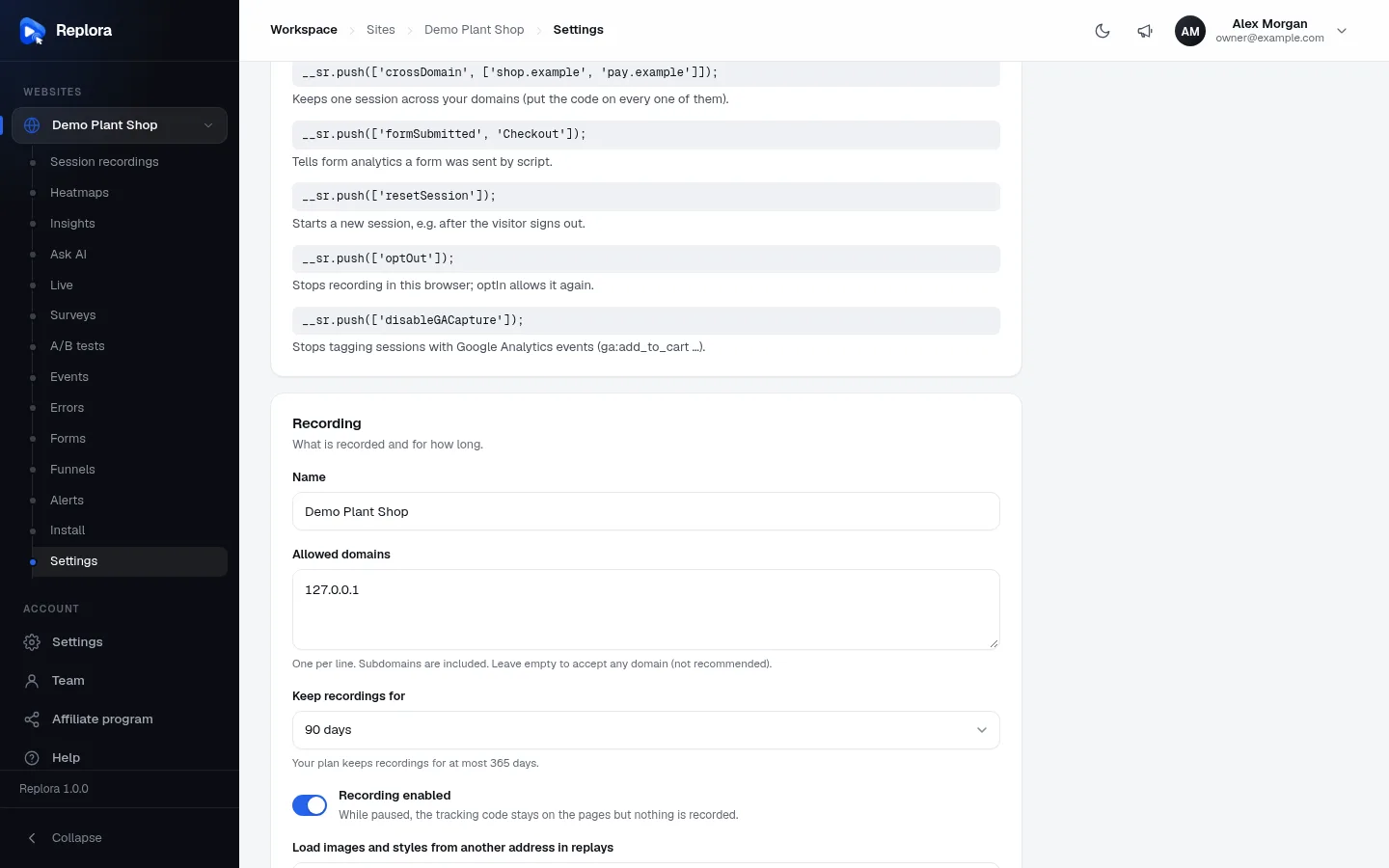
Where to find it in the dashboard: Websites › your site › Settings, card JavaScript commands, lists the most used commands with a one-line explanation each.
Start the queue
Put this line before your first command (anywhere on the page, before or after the tracking code):
js
window.__sr = window.__sr || [];Then push commands as arrays: the command's name first, then its arguments.
js
__sr.push(['identify', '[email protected]', { plan: 'pro' }]);
__sr.push(['tagSession', 'checkout-started']);
__sr.push accepts several commands in one call (__sr.push(cmd1, cmd2)). Unknown commands and commands with wrong arguments are ignored. With the npm package the same commands are typed functions (replora.identify(…), see npm packages).
All commands
| Command | Arguments | What it does |
|---|---|---|
identify | id (text or number), traits? (object) | Says who the visitor is; kept for later visits |
tagSession | tag (text) or tags (object) | Tags the session |
event | name (text), props? (object) | A custom event |
pageUrl | url (full or relative address, * allowed) | Groups this page's address for heatmaps and funnels |
formSubmitted | name? (text) | A form was sent by script |
virtualPage | url? (text) | Counts a page view now |
disableVirtualPage | — | Address changes no longer count as page views |
resetSession | — | Starts a new session and forgets the identity |
optOut / optIn | — | Stops / allows recording in this browser |
crossDomain | domains (array or text) | One session across your domains |
disableGACapture | — | Analytics events no longer tag the session |
activateExperiment | id (positive integer) | Starts an A/B test set to manual activation |
getSessionLink / getSessionUrl | callback(link) | Hands the dashboard link to this session to your function |
Limits
| What | Limit |
|---|---|
Identity (identify id) | 255 characters |
| Tag and trait keys | 64 characters |
| Tag and trait values | 255 characters (numbers and booleans are kept as text, true / false) |
| Keys per call | 50 (tagSession, identify traits, event properties) |
| Event names | 64 characters, trimmed; empty names are ignored |
pageUrl and virtualPage addresses | 2048 characters |
| Nested objects | Flattened with dots: { user: { plan: 'pro' } } becomes user.plan = "pro" |
| Arrays and other objects as values | Stored as JSON text |
identify
Says who the visitor is. The id is shown on their sessions and is searchable (sessions list, "identity" filter); traits become session tags.
js
__sr.push(['identify', '[email protected]']);
__sr.push(['identify', '[email protected]', { name: 'Ada Lovelace', plan: 'pro', seats: 5 }]);
__sr.push(['identify', 4217, { plan: 'pro' }]); // numbers are turned into text- The identity is remembered in the browser (
localStorage), so later pages and later visits of the same browser are identified too, untilresetSession. - Call it again whenever you know more; the last identity counts.
- With the HubSpot integration, an email address as the id (or as the
emailtrait) puts the replay link on the HubSpot contact: see HubSpot.
Personal data
Only send what your privacy policy covers. Identities and tags are hidden on public share links of a replay.
tagSession
Tags the session so you can filter and search sessions by it (the tags[] filter: key or key:value). One value per key: later values overwrite.
js
__sr.push(['tagSession', 'checkout-started']);                // a tag without value
__sr.push(['tagSession', { cart_value: 129, coupon: 'SPRING' }]); // key/value tags
__sr.push(['tagSession', { user: { plan: 'pro', role: 'admin' } }]); // user.plan, user.role
A text argument is trimmed and becomes a tag with an empty value. Empty text and calls without any valid key are ignored.
event
A custom event: counted on the site's Events page, usable as a session filter, as an A/B test goal and as a survey trigger (funnel steps use pages, clicks, typed text and session tags instead; tag the session too if an event should be a step).
js
__sr.push(['event', 'signup']);
__sr.push(['event', 'add_to_cart', { sku: 'FERN-01', price: 24.5 }]);
The name is trimmed and cut to 64 characters; properties follow the tag rules above. A survey whose trigger is When your site fires an event opens when its Event name is pushed.
pageUrl
Groups pages with changing addresses: heatmaps and funnels treat every page tagged with the same pageUrl as one page (e.g. every product page). Use * for the changing part. Give a full address or one relative to the current page (/product/*, ?p=*): the tracker turns a relative one into a full http(s):// address before sending it.
js
__sr.push(['pageUrl', 'https://shop.example/product/*']);
__sr.push(['pageUrl', '/product/*']); // the same, relative to the current page
It replaces the URL of the page view it was given on. In a single-page app, push it again after each route change.
formSubmitted
Form analytics counts a form as sent when its submit event fires. For forms a script sends without submitting (fetch calls, multi-step widgets), tell it:
js
__sr.push(['formSubmitted']);            // the form the visitor used last
__sr.push(['formSubmitted', 'Checkout']); // the form with data-sr-form="Checkout" (or this id/name)
html
<!-- A "form" built without a <form> element -->
<div data-sr-form="Checkout">
  <input name="email"> <button onclick="send()">Pay</button>
</div>
The form's name in the dashboard comes from data-sr-form, else aria-label, name or id.
virtualPage
Counts a page view now. Address changes through history.pushState, replaceState, popstate and hashchange already count by themselves; use virtualPage for steps that don't change the address (a wizard, a modal "page"), or with disableVirtualPage to count page views yourself.
js
__sr.push(['virtualPage']);                    // a page view at the current address
__sr.push(['virtualPage', '/checkout/step-2']); // …with this address (resolved against the current one)
disableVirtualPage
Stops counting address changes as page views; only virtualPage counts them from then on. Push it before the tracker loads (or set disableVirtualPage: true in the npm package) so the router's first change isn't counted twice.
js
window.__sr = window.__sr || [];
__sr.push(['disableVirtualPage']);
// in your router's after-navigation hook:
__sr.push(['virtualPage', to.fullPath]);
resetSession
Ends the current session and starts a new one at once, and forgets the stored identity. Use it when someone signs out on a shared computer.
js
function signOut() {
  __sr.push(['resetSession']);
  location.href = '/logout';
}
optOut and optIn
js
__sr.push(['optOut']); // stop recording now; this browser stays opted out on later visits
__sr.push(['optIn']);  // allow recording again (from the next page load)
optOut stops the recording on the page at once and sends what is left. The choice is kept in localStorage (and in the shared cookie when the site shares visitors across subdomains). Other ways to opt out: window._srOptOut = true before the script loads, or the ?sr_optout=1 link; see Consent and opting out.
crossDomain
Keeps one session when a visitor follows a link to another of your domains (a shop and its separate checkout domain). Put the tracking code of the same website on every domain and push the list on all of them:
js
__sr.push(['crossDomain', ['shop.example', 'pay.example']]);Links to those domains (and their subdomains) get the session in a _sr_x parameter just before they are followed; the page that arrives continues the session (when it was active in the last 30 minutes) and removes the parameter from the address bar. Up to 20 domains; schemes, paths and ports are stripped. Only the first crossDomain call counts. See Single-page apps & frames.
disableGACapture
By default every event your page pushes to window.dataLayer (Google Tag Manager, gtag('event', …)) tags the session as ga:<event name>. Turn it off:
js
__sr.push(['disableGACapture']);Push it before the tracker loads to stop capture from the first event. See Google Analytics events.
activateExperiment
A/B tests normally apply as soon as a visitor opens a page they run on. A test set to activate When the page’s code activates it waits for this command, e.g. until a dialog opens:
js
document.querySelector('#pricing-dialog').addEventListener('open', function () {
  __sr.push(['activateExperiment', 12]);
});
The id is the test's number in the dashboard (a positive integer). With the npm package: replora.activateExperiment([12, 13]).
getSessionLink
Hands your function the dashboard link to the visitor's running session, e.g. to attach to a support ticket or an error report. getSessionUrl is the same command.
js
__sr.push(['getSessionLink', function (link) {
  document.querySelector('#support-form [name=replay]').value = link;
}]);
The link has the form https://<your server>/go/<site key>/<session id>. Opening it asks your team member to sign in (if needed), checks their access as always and opens the replay. With the npm package: await replora.getSessionLink(), or useSessionLink() in React.
Examples
After sign-in
js
window.__sr = window.__sr || [];
__sr.push(
  ['identify', user.email, { name: user.name, plan: user.plan }],
  ['tagSession', { account_id: user.accountId, trial: user.onTrial }]
);
An e-commerce checkout
js
__sr.push(['pageUrl', 'https://shop.example/product/*']); // on every product page
__sr.push(['event', 'add_to_cart', { sku: sku, price: price }]);
__sr.push(['tagSession', { cart_value: total }]);
__sr.push(['formSubmitted', 'Checkout']);
__sr.push(['event', 'purchase', { order_value: total }]);