
Appearance
REST API
Everything the dashboard does goes through one REST API under /api/v1, so scripts, other servers and the mobile app can do the same: list and replay sessions, read heatmaps and funnels, manage sites, surveys, A/B tests and alerts. Requests and answers are JSON; you authenticate with a Bearer token.
Base URL
https://<your Replora server>/api/v1Every path in the reference is relative to it, e.g. GET /api/v1/sites. Send Accept: application/json (and Content-Type: application/json with a body).
The full description is an OpenAPI 3.1 file: download openapi.yaml. Import it into Postman, Insomnia or a client generator.
Authentication
There are two ways in, to the same endpoints.
Bearer tokens (scripts, servers, the mobile app)
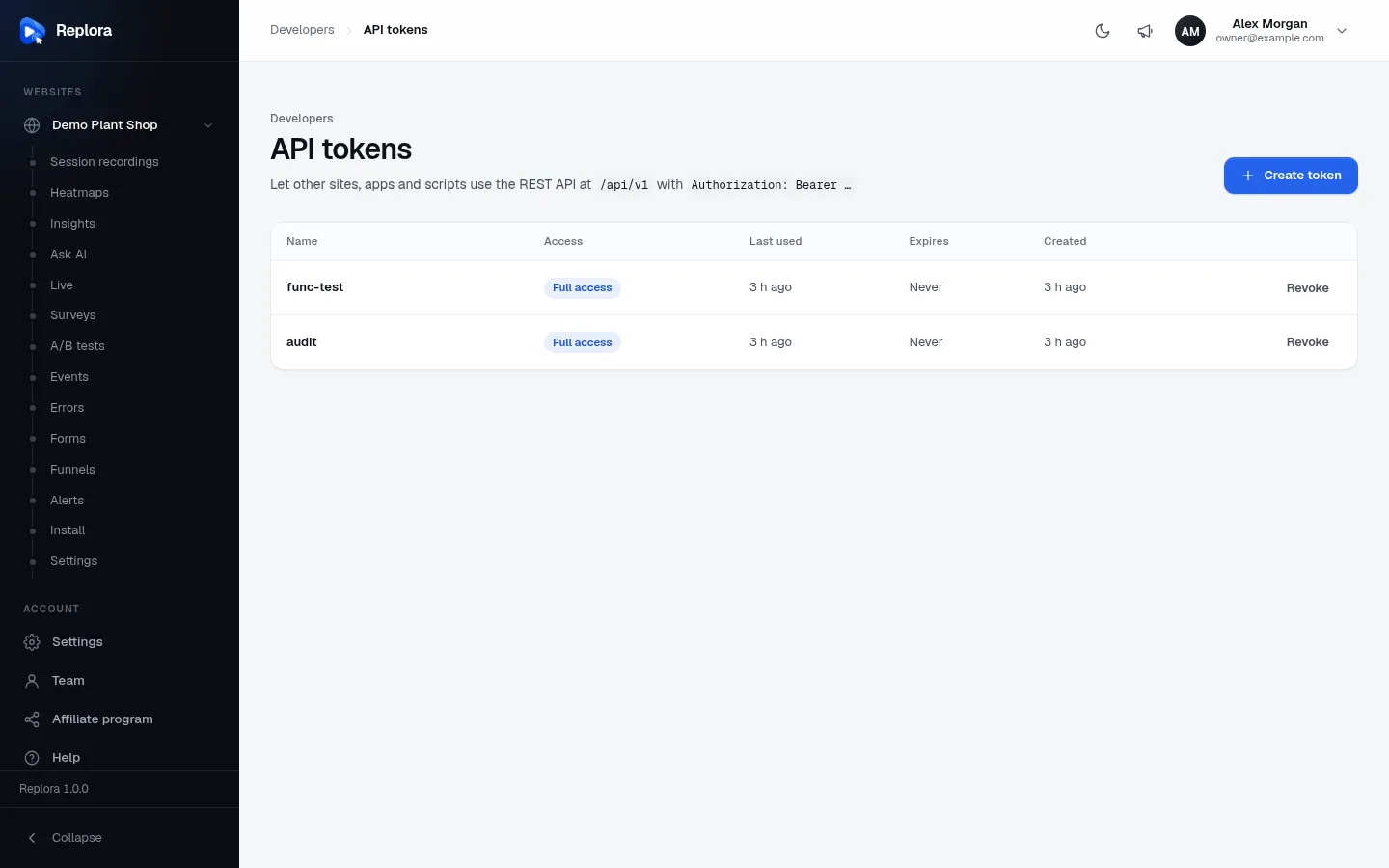
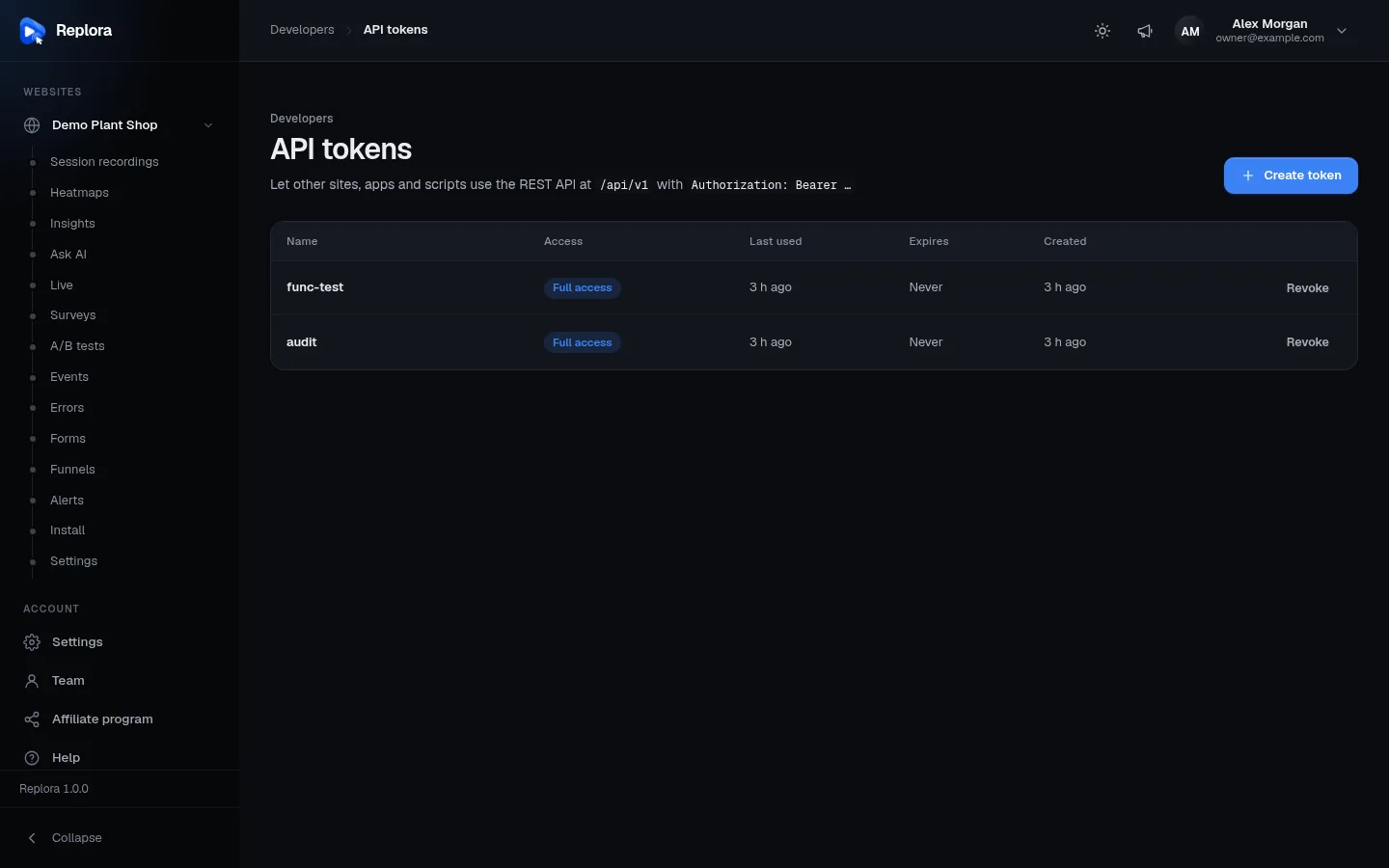
Option 1: create a token in the dashboard. Developers › API tokens › Create token:
| Field | What it does |
|---|---|
| Name | Where it will be used, e.g. "Company website" or "iOS app" (up to 120 characters). |
| Access | Full access (*: everything your account can do) or single abilities (see below). |
| Expires | Never expires, 30 days, 90 days or 1 year (the API accepts 1–3650 days). |
| Your password | Confirms it's you before a new key to your account is created. |
The token is shown only once: store it somewhere safe (a password manager, your server's environment variables). The list shows each token's access, last use, expiry and creation date; Revoke stops it at once.
Option 2: sign in from your client with a device_name. The answer carries a full-access token named after the device:
sh
curl -X POST https://replora.example.com/api/v1/auth/login \
  -H "Accept: application/json" -H "Content-Type: application/json" \
  -d '{"email":"[email protected]","password":"…","device_name":"Reporting script"}'
json
{ "data": { "id": 1, "name": "Ada Lovelace", "email": "[email protected]", "…": "…" },
  "token": "3|r8Jw…", "token_type": "Bearer" }
Accounts with two-factor sign-in also send code (the authenticator's 6-digit code or a recovery code); without it the answer is a 422 on code after the right password. POST /auth/logout revokes the token used.
Then send the token on every request:
sh
curl https://replora.example.com/api/v1/sites \
  -H "Authorization: Bearer 3|r8Jw…" -H "Accept: application/json"
Abilities
| Ability | Allows |
|---|---|
* | Everything the person may do (shown as Full access). |
recordings:read | List sites and sessions, replay recordings, and read the modules' reports (heatmaps, funnels, events, errors, forms, insights, surveys, A/B tests, alerts…). |
recordings:write | Create, change and delete sites and recordings, and the modules' objects (funnels, surveys, A/B tests, alerts…). |
Modules declare their abilities in module.json; GET /tokens lists those available on your installation in meta.abilities. Routes about the person, the account and the installation (profile, team, tokens, users, settings, billing, integrations) need the dashboard session or a full-access token: a limited token gets 403, so it can never make itself a full-access token.
A token also has the person's role in the account: a viewer may read but change nothing; billing is changed by managers only. Suspended accounts are refused at once (403).
Session cookie (the bundled dashboard)
The dashboard on the same site signs in with the same POST /auth/login (without device_name) and gets a session cookie instead of a token (Laravel Sanctum's SPA mode). Changing requests send X-XSRF-TOKEN with the XSRF-TOKEN cookie's value. Only hosts listed in SANCTUM_STATEFUL_DOMAINS get sessions; see Environment. Don't use this from other sites: use tokens.
Errors
Every error has the same JSON shape:
json
{ "message": "The name field is required.", "errors": { "name": ["The name field is required."] } }errors (field → messages) is only present with 422.
| Status | Meaning |
|---|---|
401 | No or invalid token / session ({"message": "Unauthenticated."}). |
403 | Signed in but not allowed: missing ability, limited token on an account route, viewer role, a plan that doesn't include the feature ("Your plan doesn’t include …"), a suspended account. |
404 | Not found. Another account's records answer 404 exactly like missing ones ({"message": "Not found."}), and so do endpoints of modules that aren't enabled. |
422 | Validation failed; see errors. |
429 | Rate limit hit; wait for Retry-After seconds. |
503 | Maintenance mode (installation administrators keep working). |
Messages are in the person's language (the dashboard's languages), so match on status and field names, not on message text.
Paging
Lists take ?page= and ?per_page= (1–100, default 25) and answer with meta:
sh
curl "https://replora.example.com/api/v1/sites/1/sessions?per_page=50&page=2&sort=-duration" \
  -H "Authorization: Bearer $REPLORA_TOKEN" -H "Accept: application/json"
json
{
  "data": [ { "id": "1f0c…", "started_at": "2026-11-20T10:12:04+00:00", "duration_ms": 312000, "…": "…" } ],
  "meta": { "current_page": 2, "last_page": 7, "per_page": 50, "total": 331 }
}
Some reports have their own limits instead (e.g. the sessions CSV export: at most 10 000 rows; the events list: the 200 most frequent names).
Rate limits
| Limit | Applies to | Per |
|---|---|---|
| 120 requests a minute | Every API route, with a token (or without signing in) | Person (or IP address) |
| 600 requests a minute | Every API route from the dashboard's session | Person |
| 5 a minute per email and address, 20 a minute per email | Sign-in, sign-up, invitations | Email / IP |
| 6 a minute | Password reset, account deletion, data export, license changes | IP / person |
| 10–30 a minute | Single expensive actions: AI summaries (20), Ask AI (20), alert tests (10), billing actions (10), administrator CSV exports (10), recording downloads (30), survey changes (60) | Person |
| 120 a minute | Public share links (/shared/{token}) | IP |
Tracker endpoints (not part of the API) have their own limits: RECORDINGS_INGEST_PER_MINUTE (600 a minute per IP) for recordings and rules, 120 a minute per IP for surveys and A/B tests. The full list is in Plan limits & file types.
Editions and modules
GET /app is public and tells a client what it talks to:
sh
curl https://replora.example.com/api/v1/app -H "Accept: application/json"json
{
  "data": {
    "name": "Replora",
    "version": "1.0.0",
    "api_version": "v1",
    "edition": { "mode": "saas", "signup": true, "google": false },
    "modules": ["Alerts", "Errors", "Events", "Experiments", "Forms", "Funnels", "Heatmaps", "…"],
    "realtime": { "transport": "polling", "poll_seconds": 5, "websocket": null }
  }
}
Endpoints of a module that isn't enabled, or belongs to the other edition (e.g. /plans and /billing outside the SaaS edition), answer 404. Endpoints behind a plan feature answer 403 when the account's plan doesn't include it.
Versioning
The version is in the path (/api/v1). Within v1, endpoints and fields are only added, never removed or renamed; a breaking change would come as /api/v2 next to v1. GET /app → api_version says which version the server speaks; version is the Replora release.
Live updates
The live-visitors view and other live data are available two ways, announced by GET /app → realtime:
- polling: call
GET /sites/{site}/liveeverypoll_seconds, sending the lastmeta.cursorassince; - websocket: Laravel Reverb (Pusher protocol) with the
websocketsettings; private channels are authorised atPOST /broadcasting/authwith the same token or session.
Endpoint groups
The reference is generated from the OpenAPI file, one page per group:
| Group | Endpoints | What it covers |
|---|---|---|
| App | 3 | Edition, version, modules; WebSocket channel authorisation |
| Auth | 7 | Sign-in, two-factor step, sign-up, invitations, sign-out |
| Account | 26 | Profile, password, two-factor, Google account, data export, account, tokens |
| Team | 5 | Members, invitations, roles |
| Integrations | 3 | HubSpot connection |
| Administration | 15 | Users, overview, installation settings (administrators) |
| Sites | 5 | Websites: create, read, change, delete |
| Recordings | 20 | Sessions, filters, replay events, share links, downloads, live view |
| AI summaries | 14 | Session summaries, plain-words search, Ask AI, site digests |
| Heatmaps | 2 | Pages with heatmap data, a page's clicks, scrolling and movement |
| Funnels | 9 | Funnels, reports, sessions per step |
| Events | 2 | Custom events and their occurrences |
| Insights | 4 | Frustration, journeys, elements |
| A/B tests | 6 | Tests and their results |
| Surveys | 12 | Surveys, designs, results and answers |
| Alerts | 7 | Alerts, test sends, matches |
| Errors | 6 | JavaScript errors grouped by cause |
| Forms | 4 | Form analytics |
| System | 13 | Version, license, updates, service status, maintenance (administrators) |
| Announcements | 7 | What's new posts |
| Help | 12 | Help center articles and the help chat |
| Website | 13 | SaaS public website settings |
| Affiliates | 11 | SaaS affiliate program |
| Support tickets | 28 | SaaS support desk |
| Plans & billing | 14 | SaaS plans, subscriptions, invoices |
Examples
Create a website and get its snippet:
sh
curl -X POST https://replora.example.com/api/v1/sites \
  -H "Authorization: Bearer $REPLORA_TOKEN" -H "Accept: application/json" -H "Content-Type: application/json" \
  -d '{"name":"Shop","allowed_domains":["shop.example"]}'
The answer's data.snippet is the <script> tag to put on the site; data.public_key is its key.
Sessions with a rage click from mobile visitors in the last week:
sh
curl -G https://replora.example.com/api/v1/sites/1/sessions \
  -H "Authorization: Bearer $REPLORA_TOKEN" -H "Accept: application/json" \
  --data-urlencode "has[]=rage_clicks" --data-urlencode "device=mobile" --data-urlencode "from=2026-11-13"
Tag a session from your back office:
sh
curl -X PATCH https://replora.example.com/api/v1/sites/1/sessions/1f0c2b9e-7a4d-4c1e-9d55-0f3a8e7b6c21 \
  -H "Authorization: Bearer $REPLORA_TOKEN" -H "Accept: application/json" -H "Content-Type: application/json" \
  -d '{"starred":true,"notes":"Customer called about this checkout","tags":{"ticket":"4711"}}'
In JavaScript (Node 18+):
js
const res = await fetch('https://replora.example.com/api/v1/sites', {
  headers: { Authorization: `Bearer ${process.env.REPLORA_TOKEN}`, Accept: 'application/json' },
});
if (!res.ok) throw new Error((await res.json()).message);
const { data: sites } = await res.json();