
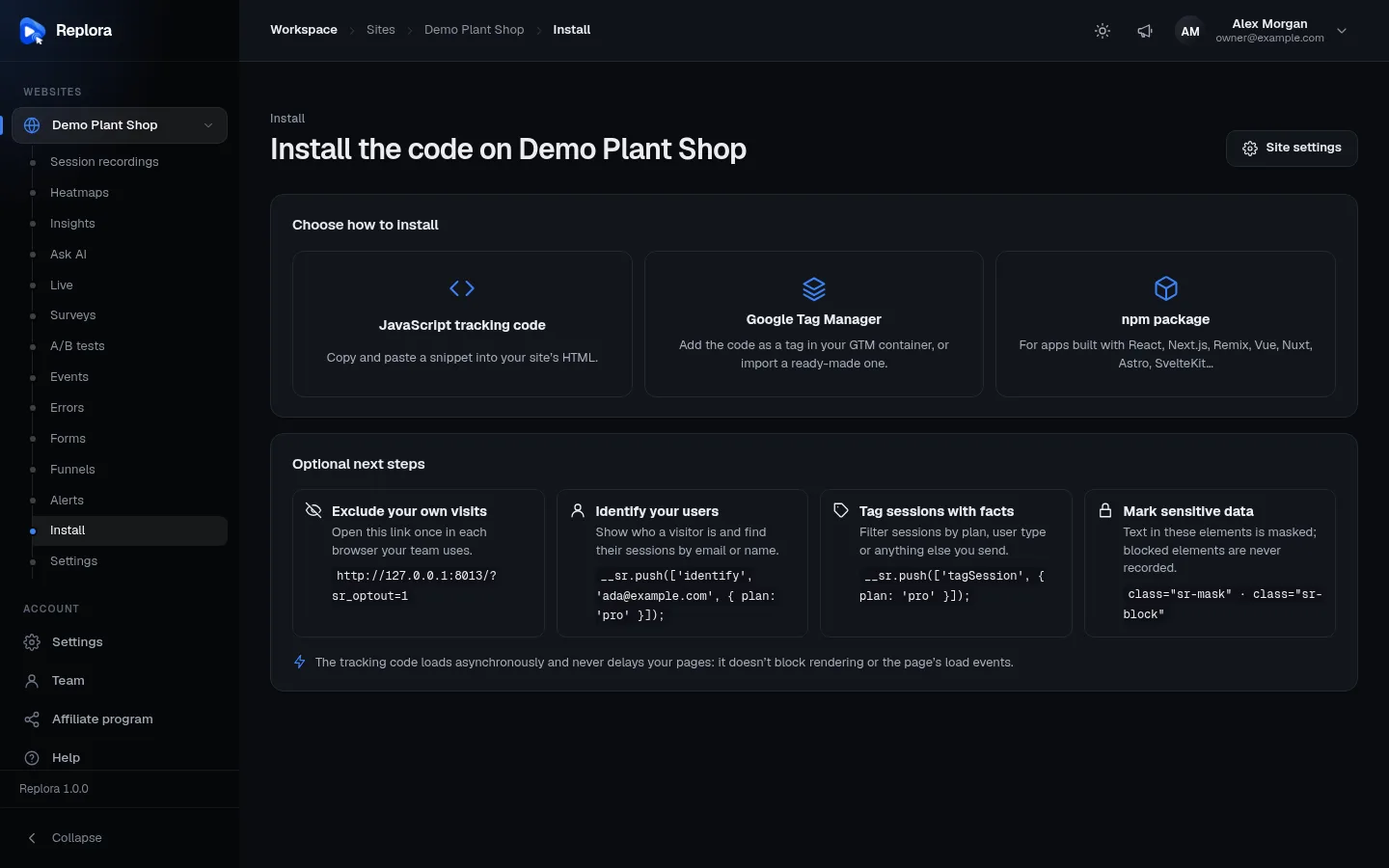
Appearance
The tracking script
One small script, t.js, served by your own Replora server, records the pages of a website: the page structure and its changes (not a video), clicks, scrolling, typing (masked), errors, network calls and form usage. It also shows the site's surveys and applies its A/B tests. It loads asynchronously, batches and compresses what it records, and never throws into your page.
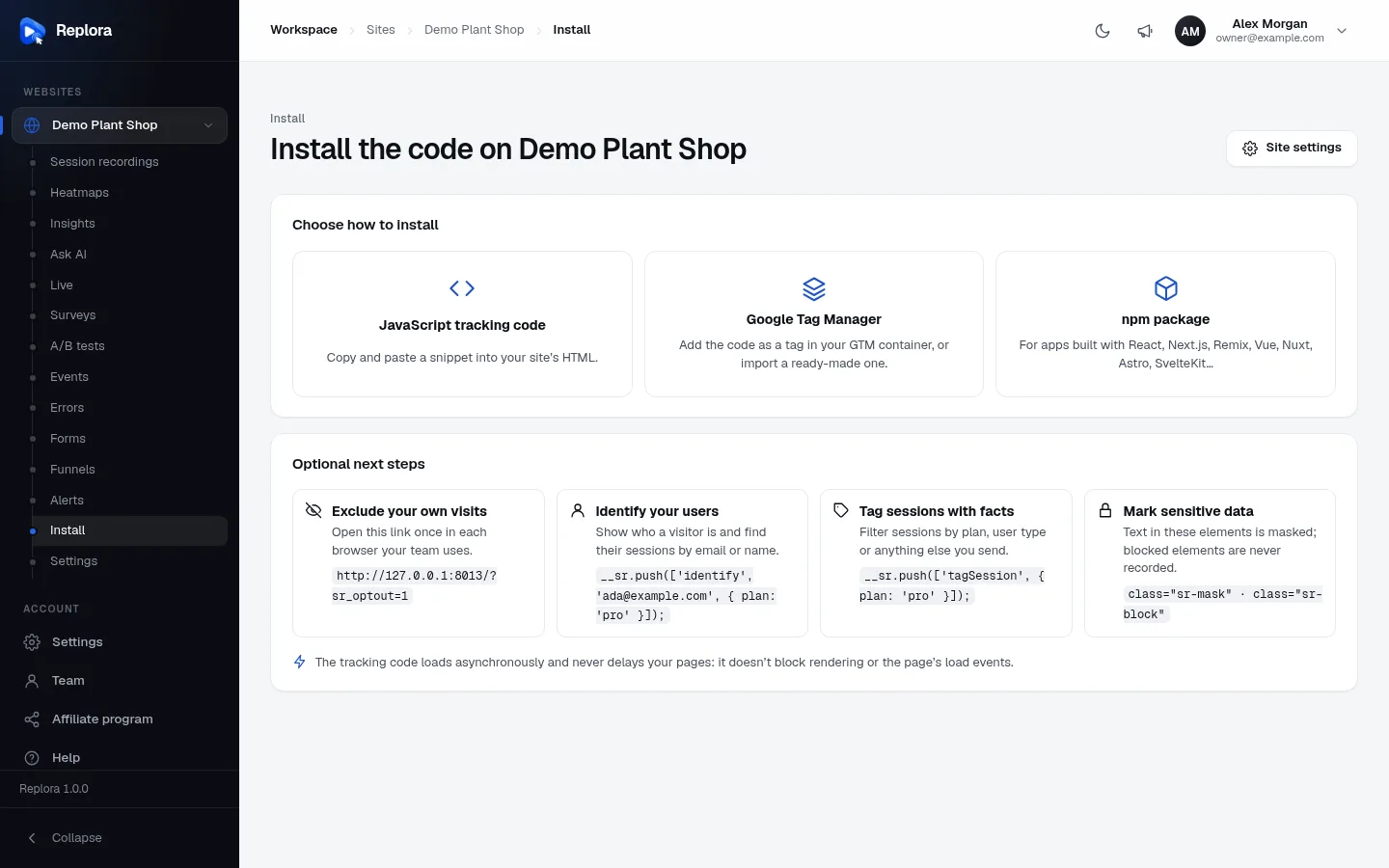
Where to find it: Websites › your site › Install. The page offers three ways to install, all filled in with the site's key and your server's address.
The snippet
Paste it into the <head> of every page, as early as possible:
html
<script async src="https://replora.example.com/t.js" data-site="YOUR_SITE_KEY"></script>That is the whole installation. async means the browser downloads the script in parallel and never waits for it: rendering and the page's load event are not delayed.
| Part | What it is |
|---|---|
src | https://<your Replora server>/t.js. Must be the server that receives the data, unless you set data-endpoint. |
data-site | The site's public key: 8–32 lowercase letters and digits. It identifies the website, it is not a secret (anyone can read it in your page). |
Attributes the script reads
The tracker reads exactly two attributes from its own <script> element:
| Attribute | Required | Default | What it does |
|---|---|---|---|
data-site | Yes | — | The site key. Without it the script does nothing. |
data-endpoint | No | The origin t.js was loaded from | The Replora server the data is sent to, e.g. https://replora.example.com. Set it when you serve t.js from somewhere else (your CDN, a proxy on your own domain). A trailing / is removed. |
The script finds its element through document.currentScript, or, when that is not available (some tag managers), the first script[data-site][src*="/t.js"] on the page.
html
<!-- The script from your CDN, the data to your Replora server -->
<script async src="https://cdn.example.com/replora/t.js"
        data-site="YOUR_SITE_KEY"
        data-endpoint="https://replora.example.com"></script>
Allowed domains
A website only accepts data from its Allowed domains (Site settings › Recording). A subdomain is included (shop.com allows www.shop.com). Requests from other hosts get 403 and empty rules. Leaving the list empty accepts any domain, which is not recommended.
URL parameters the script understands
Add these to a page address of your site to change what the tracker does in that browser:
| Parameter | Effect |
|---|---|
?sr_diagnostics=1 | Shows a small Replora diagnostics panel (bottom left) with the site key, the server, whether recording runs (or why not), the session id and the uploads. Stays on in that tab until ?sr_diagnostics=0. The panel is never recorded. |
?sr_optout=1 | Opts this browser out for good (the "Exclude your own visits" link on the Install page). When the site shares visitors across subdomains, the opt-out applies to all of them. ?sr_optout=0 opts back in. |
?sr_x=12:b | Previews variant b of A/B test 12 in this tab without counting the visit. Several tests: ?sr_x=12:b,13:a. |
?sr_edit=1 | Used by the dashboard's A/B test editor when it opens your page; the tab records nothing while it is in the editor. |
_sr_x=… | Carries a session to another of your domains (see cross-domain sessions); removed from the address bar at once. |
Check the installation
Open a page with ?sr_diagnostics=1, or press Check installation on the Install page: it says "Data is arriving: the tracking code works." once the first batch reached the server.
Google Tag Manager
No code change on the site: a Custom HTML tag loads the tracking code on every page.
- In Google Tag Manager open your container, then Tags › New › Custom HTML.
- Paste the tracking code, choose the All Pages trigger and save.
- Submit and publish the container.
Or press Download the GTM container on the Install page and import it (Admin › Import Container, choose the file and Merge). The file holds one Custom HTML tag named "Replora – your site" with the snippet, fired on GTM's built-in All Pages trigger, once per event.
Analytics events tag sessions
Whatever is pushed to window.dataLayer (GTM events and gtag('event', …)) tags the session as ga:<event name>. See Google Analytics capture.
npm packages
For apps built with a bundler there are two packages (MIT licence):
| Package | For |
|---|---|
@replora/browser | Any framework (Vue, Nuxt, Astro, SvelteKit, plain bundlers). Adds t.js once and gives typed commands. Safe with server rendering: outside a browser nothing happens. |
@replora/react | React, Next.js (App Router and Pages Router), React Router v6/v7, Remix. A provider and hooks on top of @replora/browser, whose commands and options it re-exports. |
sh
npm install @replora/browser                    # any framework
npm install @replora/browser @replora/react     # React apps
ts
import { init, replora } from '@replora/browser';

init({ site: 'YOUR_SITE_KEY', server: 'https://replora.example.com' });

replora.identify('[email protected]', { plan: 'pro' });
replora.tagSession({ plan: 'pro', signupSource: 'organic' });
replora.event('signup');
The Install page's npm package option has the setup for each framework (JavaScript, React, Next.js App Router, Next.js Pages Router, React Router, Remix, Vue, Nuxt, Astro, SvelteKit), with your key and server filled in.
init() options
| Option | Default | What it does |
|---|---|---|
site | — | The site key (required). |
server | — | The Replora server, https://… (required; it also receives the data when the script comes from elsewhere). |
endpoint | the server | Where the data is sent, e.g. a proxy on your own domain (becomes data-endpoint). |
scriptUrl | <server>/t.js | The tracking script's address, e.g. on your own CDN. |
enabled | true | false loads nothing and ignores every command, e.g. enabled: import.meta.env.PROD. |
debug | false | Logs what the SDK does to the console ([replora] …). |
nonce | — | Put on the script element, for a Content-Security-Policy that allows scripts by nonce. |
abLoader | false | Hides the page until A/B test variants are applied, so visitors never see the original flash. |
abLoaderTimeout | 800 | The longest the A/B loader hides the page, in ms. |
crossDomain | — | One session across these domains of yours (sends crossDomain). |
disableVirtualPage | false | Address changes don't count as page views; count them yourself with virtualPage(). |
disableGACapture | false | Analytics events (Google Analytics, Tag Manager) don't tag the session. |
init() adds the script once: a second call (React's development double render, hot reload) does nothing, and it doesn't add the script when one with the same src and a data-site is already on the page. init() without a site key or with a server that isn't http(s):// logs a warning and loads nothing.
SDK commands
Every command works at any time: calls before init() or before the script has loaded are queued in window.__sr and run when it starts.
| Command | What it does |
|---|---|
identify(userId, traits?) | Who the visitor is (shown and searchable in the dashboard). |
tagSession(tags) | A tag ('vip') or key/value tags ({ plan: 'pro' }). |
event(name, props?) | A custom event: Events page, session filters, survey triggers, A/B test goals. |
virtualPage(url?) | Counts a page view now. |
pageUrl(url) | Groups this page under another address in heatmaps and funnels, e.g. /product/*. |
formSubmitted(name?) | A form was sent by script. |
resetSession() | Starts a new session, e.g. after sign-out. |
optOut() / optIn() | Stops or allows recording in this browser. |
activateExperiment(id | ids) | Starts A/B tests set to manual activation (one id or an array). |
push(command) | Any tracker command, as window.__sr.push takes it. |
isLoaded() | Whether the tracker has loaded and started. |
sessionId() | The running session's id (null before the tracker has loaded). |
getSessionLink() | A promise of the dashboard link to this session (null while disabled or during server rendering). |
onLoad(callback) | Runs callback once the tracker has loaded. |
React hooks (@replora/react): ReploraProvider (starts Replora once, on its first render), useReplora(), useReploraIdentify(userId, tags?, traits?), useSessionLink(), usePageviews(url); router hooks useNextPageviews() and useNextPagesRouterPageviews() from @replora/react/next, useReactRouterPageviews() from @replora/react/router. See Single-page apps.
Content Security Policy
If your site sends a Content-Security-Policy header, allow your Replora server (here https://replora.example.com):
| Directive | Add | Why |
|---|---|---|
script-src | https://replora.example.com (and your CDN, if t.js comes from there) | Loads t.js. With nonces, give the script tag your nonce (nonce option of the npm package). |
connect-src | https://replora.example.com (the data-endpoint server) | Rules (/c), recordings (/i), surveys (/s), A/B tests (/x) are fetch / sendBeacon calls. |
style-src | 'unsafe-inline' | Only for the parts that draw on your page: the survey card and the diagnostics panel use <style> elements in their own shadow root, and the A/B loader hides the page with a <style> element. Recording alone needs nothing here. |
script-src | 'unsafe-inline' | Only for A/B test variants with custom JavaScript (off unless the installation allows it, EXPERIMENTS_ALLOW_SCRIPTS) and for the inline A/B loader snippet. |
Not needed: worker-src (the tracker starts no workers), frame-src (it creates no frames), img-src (it loads no images). For the A/B test editor, the dashboard opens your page in a frame or a new window; if your site forbids framing (frame-ancestors, X-Frame-Options), use the editor's new window.
http
Content-Security-Policy: script-src 'self' https://replora.example.com; connect-src 'self' https://replora.example.comWhat the script sends
Everything goes to your own Replora server. No third party receives anything.
| Request | When | What |
|---|---|---|
GET /t.js | Page load | The script. Cached 5 minutes (max-age=300, stale-while-revalidate=3600) with an ETag, so updates reach visitors within minutes. |
GET /c/{key} | First page of a tab, then at most every 5 minutes | The site's rules: mask, block and unmask selectors, frames, input censoring, minimum duration, network details, canvas, shared cookie domain, allowed hosts. Kept in sessionStorage for 5 minutes. The first page waits for them (at most 1.5 s) so nothing is recorded before the masking applies. |
POST /i/{key} | Every 5 seconds while something happened, earlier when 512 KB are waiting, and when the page is hidden or closed | A batch of recorded events, gzipped (?z=1). Query: s (session id), u (page URL, up to 1000 characters), r (traffic source). |
GET /s/{key} | Page load | The site's active surveys (cached by browsers for 60 s). |
POST /s/{key}/{survey} | A survey answered | The answers with the session id and the page URL. |
GET /x/{key} | Page load | The site's running A/B tests (cached for 60 s). |
All requests are CORS requests without cookies or credentials. Batches are sent as Content-Type: text/plain, which keeps them "simple" (no preflight). A batch body is JSON:
json
{ "v": 1, "sid": "<session uuid>", "pid": "<page uuid>", "seq": 4, "events": [ … rrweb events … ] }Answers to a batch
| Status | Meaning | What the tracker does |
|---|---|---|
204 | Stored (queued) | Goes on. |
204 with X-SR-Control: pause | The site never records this page | Drops what this page recorded and sends nothing until the visitor leaves the page. |
204 with X-SR-Control: stop | The site's rules exclude this session (IP, sampling, start pages, targeting) | Stops recording for the rest of the session (remembered for the tab). |
400 / 413 | Bad or too large body (5 MB compressed, 50 MB unpacked, 20 000 events) | Gives up on that batch. |
403 | The page's host is not an allowed domain | Gives up on that batch. |
404 | Unknown key, or recording is paused for the site | Gives up on that batch. |
408, 429, 5xx, network error | Try again later | Keeps up to 20 failed batches and retries after 5 s, 10 s, 20 s … up to a minute; a batch is given up after 6 tries. When a page snapshot is given up, a new one is taken once the server answers again, so the session stays replayable. |
When the page is hidden or closed the rest goes out with navigator.sendBeacon (or fetch with keepalive), uncompressed and split into parts under 60 KB.
What a recording contains
- The page as a DOM snapshot plus its changes (rrweb), with a fresh full snapshot every 10 minutes so long sessions stay seekable.
- Mouse movement every 25 ms, scrolling every 150 ms, media changes every 800 ms, the last value of an input (masked).
- Custom events the server indexes:
session(referrer, landing page, traffic source, returning visitor, anonymous visitor id, language, time zone, screen size),title,navigate,click,rage,dead,depth,moves,attention,error,console,network,form,field,identify,tag,pageurl,event,survey,experiment, and the colour scheme. - Per page at most 50 errors, 200 console messages, 300 network calls and 1000 clicks.
- Network calls: method, URL, status, duration and size. Bodies only when Record network request details is on (see privacy). Calls to the Replora server itself are never recorded.
Size and performance
| Fact | Value |
|---|---|
| Size | About 130 KB minified, about 43 KB gzipped (version 1.0.0; it bundles the rrweb recorder) |
| Loading | async: never blocks rendering or load |
| Requests while active | About 12 a minute per visitor |
| Compression | gzip in the browser (CompressionStream) before upload; plain JSON in browsers without it |
| Sessions | Kept per tab in sessionStorage. A new session after 30 minutes without activity, or once a session is 24 hours old |
| Failure mode | Every part is wrapped so an error in the tracker never breaks the host page |
The server answers POST /i/{key} right away and does the work in the background (queue), so a slow database never slows visitors down. Tracker requests are limited per IP address (RECORDINGS_INGEST_PER_MINUTE, 600 a minute by default; raise it when many visitors share one address).
Sampling and recording rules
What gets recorded is decided per website in Site settings (and enforced by the server, so changing them never needs a new snippet):
| Setting | Effect |
|---|---|
| Record this share of sessions | 1–100 %. Each session is in or out as a whole (decided from its id). |
| Only record visits that start on | Page rules; a session that started elsewhere is never recorded. |
| Never record these pages | Those pages are paused; the rest of the session is recorded. |
| Never record these IP addresses | Addresses, ranges (10.0.0.0/8) or patterns (203.0.113.*). |
| Only record sessions that last at least | 0–600 seconds. Nothing is sent before the visit is this long. |
| Targeting | Only these traffic sources, devices and browsers. |
| Recording enabled | Off: the code stays on the pages but nothing is recorded (404). |
Excluded sessions are dropped before anything is stored, and the tracker is told to stop sending. On SaaS plans, sessions over the month's quota are not taken, or counted without their replay; see Plan limits.
Consent and opting out
There are three ways to keep a browser from being recorded:
- Before the script loads (consent banners): set
window._srOptOut = truebeforet.jsruns, or load the snippet only after consent. - From the page:
__sr.push(['optOut'])stops recording now and in later visits (kept inlocalStorage);__sr.push(['optIn'])allows it again. - With a link:
?sr_optout=1on any page of the site;?sr_optout=0undoes it.
html
<script>
  // Load Replora only after the visitor accepted analytics cookies.
  function startReplora() {
    var s = document.createElement('script');
    s.async = true;
    s.src = 'https://replora.example.com/t.js';
    s.setAttribute('data-site', 'YOUR_SITE_KEY');
    document.head.appendChild(s);
  }
  if (localStorage.getItem('consent-analytics') === 'yes') startReplora();
</script>
The tracker does not read the browser's Do Not Track or Global Privacy Control signals by itself; if you want to honour them, set window._srOptOut from them before the script loads:
html
<script>
  if (navigator.doNotTrack === '1' || navigator.globalPrivacyControl) window._srOptOut = true;
</script>
What the tracker stores in the browser is listed under Privacy › Browser storage.
The window.Replora object
Once recording runs, the tracker sets a small object on window:
| Member | Returns |
|---|---|
Replora.sessionId() | The running session's id (UUID). |
Replora.sessionLink() | The dashboard link to this session (https://<server>/go/<key>/<session>), which opens the replay after sign-in. |
Replora.stop() | Stops recording on this page and sends what is left. |
Prefer the command queue (JavaScript API): it also works before the script has loaded.