
Appearance
Server requirements
Replora is a PHP application with a PostgreSQL database. It runs on a VPS or a dedicated server and on shared hosting that offers PHP 8.3 and PostgreSQL. The installer's first page checks everything below for you.
Server
| Requirement | |
|---|---|
| PHP | 8.3 or newer (PHP 8.4 works) |
| PHP extensions | pdo, pdo_pgsql, mbstring, openssl, tokenizer, xml, ctype, fileinfo, zlib (unpacks recordings), zip and sodium (install the modules and updates and check their signatures) |
| Database | PostgreSQL 13 or newer: an empty database and a user that owns it (MySQL, MariaDB and SQLite are not supported) |
| Web server | Nginx (recommended, see Install on a VPS), Apache with mod_rewrite or LiteSpeed, with the document root on the public/ folder |
| Background worker | A process that runs php artisan queue:work (Supervisor or systemd), or a cron fallback on shared hosting. See Background worker & email |
| Cron | One entry every minute: php artisan schedule:run. See Scheduler |
| HTTPS | Strongly recommended. Websites served over https can only load the tracking script from an https address |
| Disk | About 130 MB for the application (the download is a 28 MB zip), plus the recordings (or keep them in S3, see Recording storage) |
| Optional | Redis (sessions, cache and queue on busy sites), an S3-compatible bucket, Laravel Reverb for live updates over WebSockets, a ClamAV daemon for uploaded files |
How much disk do recordings need?
It depends on the pages and the traffic. Recordings are stored compressed and are deleted every night once they are older than each website's retention period (7 to 365 days; 30 by default). The Storage check on the System page warns when less than 10 % or less than 1 GB of the disk is free.
What the installer checks
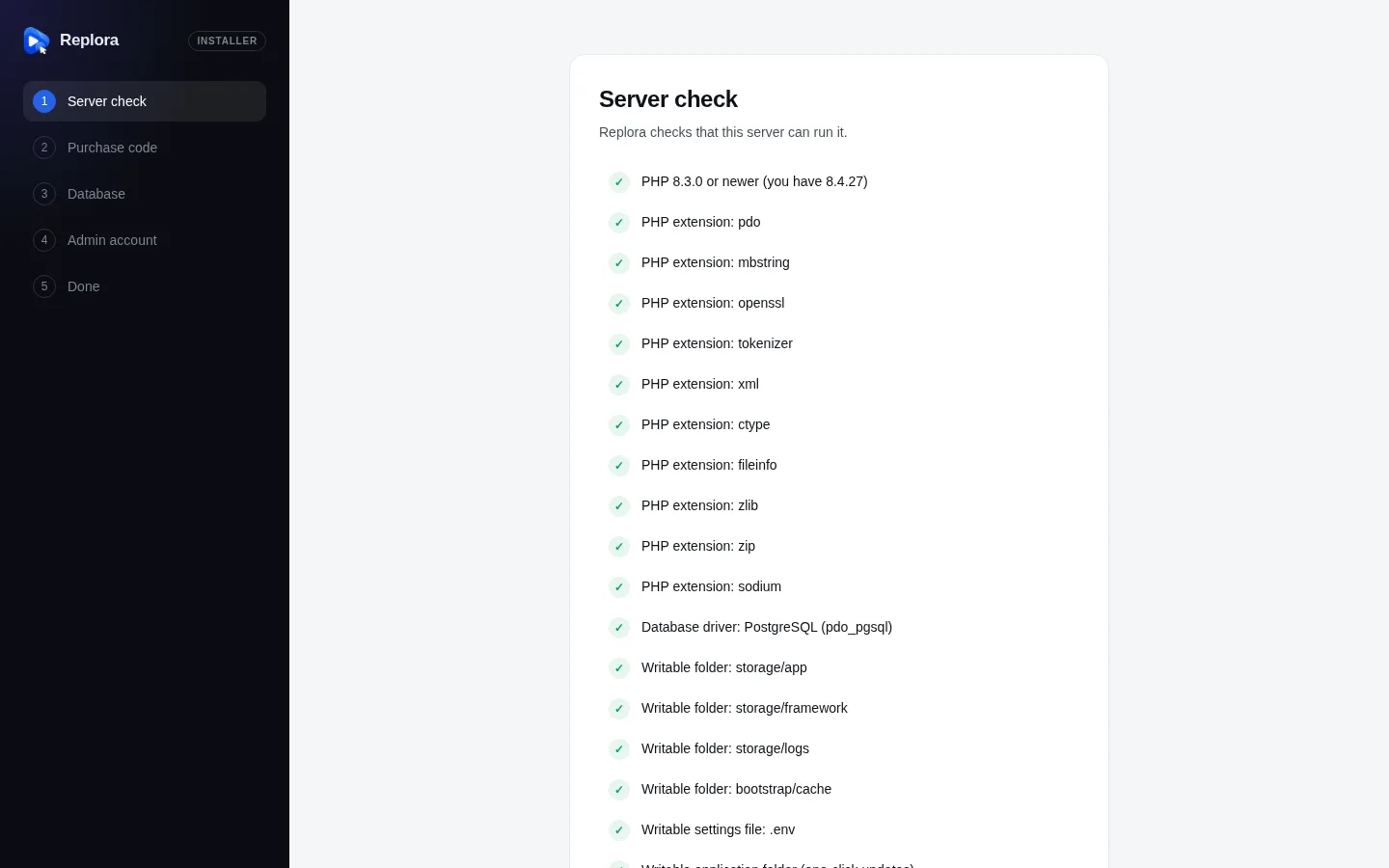
The first installer step, Server check, lists each item as passed (✓), failed (✕) or a warning (!). Failed items block the installation and show how to fix them.
| Check | Required | If it fails |
|---|---|---|
| PHP 8.3.0 or newer | Yes | Choose PHP 8.3 or newer in your hosting control panel. |
PHP extension: pdo, mbstring, openssl, tokenizer, xml, ctype, fileinfo, zlib, zip, sodium | Yes | Enable the … extension in your hosting control panel (PHP settings). |
Database driver: PostgreSQL (pdo_pgsql) | Yes | Enable pdo_pgsql in the control panel, or install it (for example sudo apt install php8.3-pgsql) and restart PHP |
Writable folder: storage/app, storage/framework, storage/logs, bootstrap/cache | Yes | Give the web server write access to … (permissions 775). |
Writable settings file: .env | Yes | The web server must be able to write .env (or create it in the application folder) |
| Writable application folder (one-click updates) | No | Without it, updates are installed by uploading the new files instead of one click |
Browsers
Recording works in every current browser (Chrome, Edge, Firefox, Safari on desktop, iOS and Android) and in browsers released in the last few years. The tracking script loads asynchronously and never blocks the page. The dashboard needs a current desktop browser; it also works on tablets and phones.
Outgoing connections
Your server must be able to reach these addresses over HTTPS, only for the features that need them:
| Feature | Server must reach |
|---|---|
| Installation, module downloads and updates | altara.digital (license server) and the release feed in REPLORA_UPDATE_FEED |
| AI summaries, Ask AI, AI search, help chat | api.anthropic.com |
| Payments (SaaS) | api.stripe.com, or Paddle's API (api.paddle.com / sandbox-api.paddle.com) |
| Sign in with Google | oauth2.googleapis.com, openidconnect.googleapis.com |
| reCAPTCHA | www.google.com |
| Visitor location databases | download.maxmind.com, download.db-ip.com or ipinfo.io, depending on the provider you switch on |
| HubSpot integration | api.hubapi.com |
| your SMTP server, or the API of the mail service you choose | |
| Stylesheet copies for replays | the websites you record (their stylesheets are kept so replays keep their look) |