
Appearance
Updating & rolling back
New versions appear on the System page. One click downloads the release, checks its signature, keeps your current files as a backup and updates the database; your recordings, settings, .env and your own modules stay. Where one-click updates can't run, you upload the new files and press one button instead.
Which way do I update?
- One click on Administration › System: the default, when the web server may write to the application folder. Jump there.
- Command line:
php artisan replora:update. Details. - Upload the files: shared hosts where the application folder isn't writable, or installations without a release feed. Step by step.
How versions work
The version is in the VERSION file of the application folder, at the bottom of the sidebar (Replora 1.0.0) and on the System page (This installation › Version). Database belongs to shows the version your data was last updated for; when the files are newer, an update is waiting to be finished.
| Update | Example | What to expect |
|---|---|---|
| Patch | 1.0.0 → 1.0.1 | Fixes only |
| Minor | 1.0 → 1.1 | New features; snippets, API clients and recordings keep working |
| Major | 1.x → 2.0 | May need extra steps, listed in the Changelog |
You can skip versions: every database change and upgrade step in between runs, in order.
Before you start
- Read the release notes (shown on the System page under the new version, and in the Changelog).
- Check the requirements. A release can need a newer PHP; one-click updates refuse it with Version … needs PHP … or newer; this server runs ….
- Back up the database. One-click updates keep the previous files, but not the database. See Backups.
One-click update
The scheduler asks the release feed twice a day. When a new version is out, administrators see Replora 1.1.0 is available. with See what’s new at the top of every dashboard page.
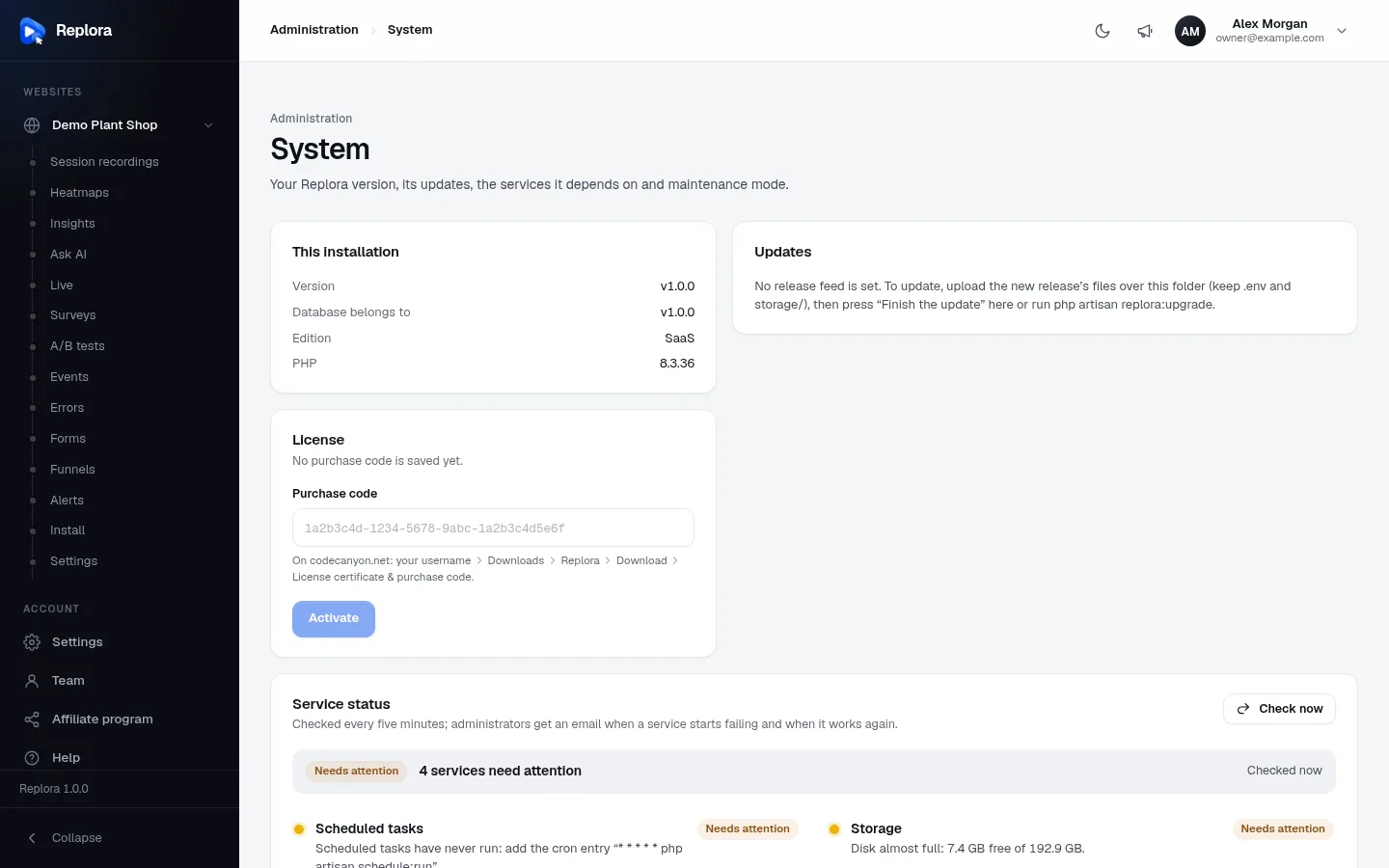
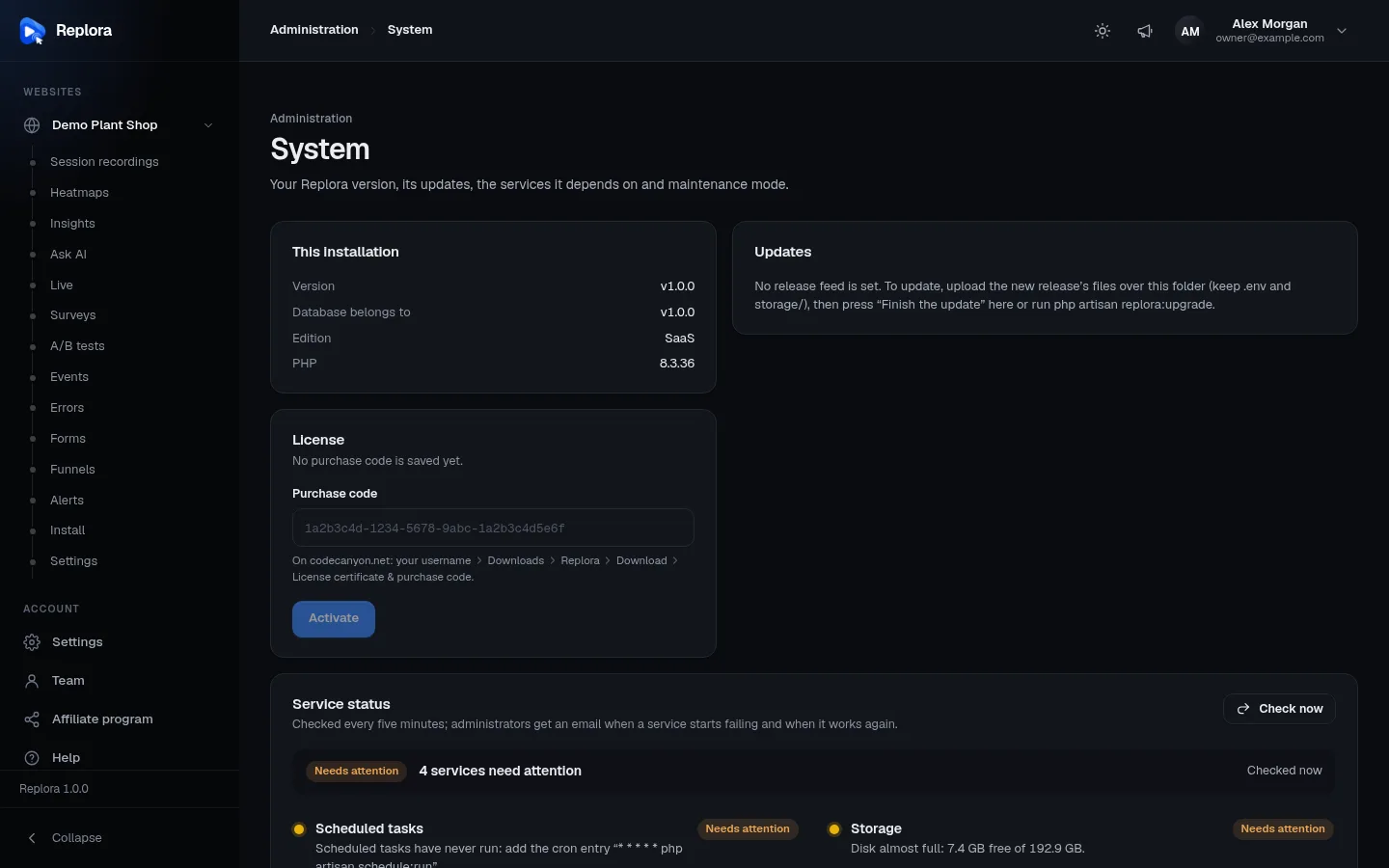
1. This installationVersion of the files, the version the database belongs to, the edition and PHP.
- Open Administration › System. Under Updates, click Check now to ask the feed right away.
- The card shows New · Replora 1.1.0, the release date and its notes.
- Click Update now. The button says Installing the files…, then Updating the database….
- When it says Updated from v1.0.0 to v1.1.0: 3 database changes, 1 upgrade steps. Reloading…, the dashboard reloads with the new version.
What happens:
- Download of the release zip named by the feed (at most 300 MB).
- Checks: the zip's SHA-256 must match the feed, and its Ed25519 signature must match the release key in
REPLORA_UPDATE_KEY. The contents must be a complete release of that version. Nothing is changed when a check fails. - Swap: each file and folder the release replaces is moved into a backup folder in
storage/app/updatesfirst, then the new one takes its place..env,storage/and module folders the release doesn't ship (your own modules) are never touched. If a move fails, everything is put back. - Finish, run by the new code in a fresh request:
- the modules of the new version are fetched from the license server with the purchase code saved on this site, checked and installed;
- the database is updated (migrations) and the version's upgrade steps run;
- cached configuration, routes and views are cleared and the queue workers restart with the new code (Supervisor or systemd start them again).
The two newest backups are kept; older ones are deleted.
When one-click updates can't run
Instead of Update now the card says One-click updates can’t run here: … Upload the new files instead, then finish the update here. The reason is one of:
| Reason | Fix |
|---|---|
| No release feed is set (REPLORA_UPDATE_FEED). | Release packages set it in .env.example; add the line from there to .env |
| No release key is set (REPLORA_UPDATE_KEY). | The same, for the key |
| The PHP zip extension is missing. / The PHP sodium extension is missing. | Enable the extension |
| The application folder is not writable by the web server. | Make the folder writable for the web server user (chown -R www-data:www-data /var/www/replora), or upload the files by hand |
Without a feed the card reads No release feed is set. To update, upload the new release’s files over this folder (keep .env and storage/), then press “Finish the update” here or run php artisan replora:upgrade.
From the command line
bash
cd /var/www/replora
sudo -u www-data php artisan replora:update            # shows the new version and its notes, asks, installs
sudo -u www-data php artisan replora:update --check    # only looks
sudo -u www-data php artisan replora:update --yes # installs without asking (scripts)| Option | What it does |
|---|---|
--check | Asks the feed and prints Version 1.1.0 is available (you have 1.0.0). or Replora 1.0.0 is the latest version. |
--yes | Installs without the Install it now? question |
--rollback | Puts the files of the previous version back (see Rolling back) |
The command installs the files like Update now, prints The files of 1.1.0 are in place (backup: …). Finishing the update…, and then runs replora:upgrade in a fresh process. Run it as the web server user, so the new files belong to it.
Upload the files by hand
For hosts where the application folder isn't writable, or without a release feed.
- Back up the database and the files (see Backups).
- Download the new package from CodeCanyon:
replora-single-<version>.zip, orreplora-saas-<version>.zipfor a SaaS site. - Extract it on your computer or next to the site, and upload its contents over the application folder, replacing files. Don't overwrite
.env(the package has none) and don't replacestorage/. - Sign in as an administrator. Every dashboard page says New files are in place: finish the update so the database matches them.
- Open Administration › System and click Finish the update. The site keeps running meanwhile.
Or finish from the command line:
bash
sudo -u www-data php artisan replora:upgradereplora:upgrade:
- refuses when the files are older than your data (These files are older than your data (1.1.0). Upload that version or newer.), and does nothing when nothing waits (Nothing to do: the database is up to date.);
- puts the site in maintenance mode (
--no-maintenancekeeps it open); - fetches the new version's modules from the license server with the saved purchase code, and continues in a fresh process with them;
- runs the migrations and upgrade steps, clears cached configuration, routes and views, and restarts the queue workers;
- brings the site back and prints Updated from 1.0.0 to 1.1.0: 3 migration(s), 1 upgrade step(s).
It is safe to run on every deploy.
The release has no modules inside
The release zip contains only the Installer module; the others come from the license server. Don't delete your modules/ folder when uploading: the update replaces the modules that belong to the old version. Your server needs outgoing HTTPS to altara.digital and a saved purchase code. The license server checks the site's domain: updates work on the domain the license is attached to and stop with This purchase code is already used on … anywhere else.
Rolling back
Right after an update that went wrong you can put the previous version's files back:
- System page: Something wrong after an update? Put the previous version back › Roll back. The dialog warns: The files of the previous version replace the current ones. Database changes of the update stay, so do this only right after an update that went wrong.
- Command line:
sudo -u www-data php artisan replora:update --rollback(The files of version 1.0.0 are back. The database keeps the newer tables. Finishing…).
The newest backup in storage/app/updates is restored, the previous version's modules are fetched again, caches are cleared and workers restart. The newer database tables stay: the older code ignores them, and updating again later skips their migrations. If the old version can't work with the updated database, restore the database from your backup as well (see Backups).
Without a backup (files uploaded by hand), roll back by uploading the old version's files and restoring the database backup made before the update.
SaaS edition: extra points
- Update with the SaaS package; one-click updates use the SaaS feed by themselves. Uploading the Single user package would leave out the
saas/folder and run the site as Single user. - Plans, prices, website pages and everything set in the dashboard live in the database and are kept.
- If the release notes list new Stripe or Paddle webhook events, add them to your webhook in the provider's dashboard.
- Recording, surveys and A/B tests keep working during the maintenance minute of
replora:upgrade: those endpoints are not affected by maintenance mode.
If something goes wrong
| Message | What it means | What to do |
|---|---|---|
| An update is already running. Wait for it to finish. | Another update holds the lock | Wait; the lock is released after 10 minutes at the latest |
| The release feed could not be reached: … / The release feed answered HTTP … | The server can't reach the feed | Allow outgoing HTTPS to the feed's host; try again later |
| The release could not be downloaded: … / The release download is larger than expected. | Download problem | Try again; check disk space in storage/ |
| The downloaded release doesn’t match its checksum. Nothing was changed. | The download is damaged | Try again |
| The release is not signed with the release key. Nothing was changed. | The zip isn't an official release, or REPLORA_UPDATE_KEY is wrong | Copy the key from the package's .env.example; contact support if it persists |
| The release is incomplete (… is missing). Nothing was changed. | A broken package | Contact support |
| The files could not be replaced (…). Your site was left as it was. | A file couldn't be moved (permissions) | Make the application folder writable for the web server user |
| The modules of version … are needed, but no purchase code is saved on this site. | No code saved (bundled build) | Enter it in the License card, or run php artisan replora:core --purchase-code=YOUR-CODE, then finish the update |
| The license server refused this site’s purchase code… | The code is no longer valid | Contact support with your purchase code |
| The license server has no modules for version … yet. | The pack isn't published yet | Contact support |
| The database could not be updated: … | A migration failed; nothing after it was applied | Read the message (often database rights or disk space), fix it and press Finish the update again |
| The upgrade step "…" failed: … | An upgrade step failed | Fix the cause and finish the update again; steps that ran are not repeated |
| There is no backup to roll back to. | Nothing in storage/app/updates | Restore files and database from your own backup |
After any failure, storage/logs/laravel.log has the details. Send them to support with your purchase code.