
Appearance
Billing: Paddle
Paddle is a merchant of record: it sells your plans in its own name and handles VAT, sales tax and invoices for you. Customers pay in Paddle’s secure checkout, which opens on your site, and Paddle’s notifications (webhooks) tell Replora which plan each account has paid for.
Available inSingle userSaaSWhere: Settings › Installation, cards Payments and Paddle (/settings#installation), and the price ids in Administration › Plans. Everything can also be set in .env.
Replora uses Paddle Billing (price ids pri_…), not Paddle Classic.
When payments are on
Paddle takes payments only when all of these are true:
- the installation runs the SaaS edition;
- the payment provider is Paddle (
BILLING_PROVIDER=paddle, or Payments › Payment provider); - the API key, the Client-side token and the Notification secret key are all set.
Without the secret nothing is switched on, on purpose: unsigned notifications could be forged to grant plans. Until then Plan & billing says payments are not set up and administrators assign plans by hand.
The settings
| Setting (Settings › Installation) | .env key | What it does |
|---|---|---|
| Payments › Payment provider | BILLING_PROVIDER | None (plans are assigned by administrators), Stripe or Paddle |
| Paddle › Sandbox (test payments) | PADDLE_SANDBOX | On: Paddle’s sandbox (sandbox-vendors.paddle.com) with test cards. Off (default): live payments |
| Paddle › API key | PADDLE_API_KEY | The server-side key that creates checkouts, portal sessions and changes subscriptions. Stored encrypted |
| Paddle › Client-side token | PADDLE_CLIENT_SIDE_TOKEN | Public token Paddle.js needs to open the checkout (test_… in the sandbox, live_… live) |
| Paddle › Notification secret key | PADDLE_WEBHOOK_SECRET | The secret of your notification destination; every notification’s signature is checked with it. Stored encrypted |
| — | CASHIER_PATH | First part of the notification address (default paddle → /paddle/webhook) |
Values saved in the dashboard win over .env. Secret fields stay empty in the form; leave them empty to keep the stored value. After editing .env, run php artisan config:clear.
Sandbox and live don't mix
The sandbox and the live account have different keys, tokens, notification destinations and price ids. Switch all of them together, including the price ids of every plan.
Set up Paddle
1. Create products and prices
There is no automatic sync: create the prices in Paddle and copy their ids into Replora.
- In Paddle: Catalog › Products › New product, one per paid plan.
- Add a monthly recurring price, and a yearly one if the plan is sold yearly. Use the same amount and currency as the plan in Replora (the pricing page shows Replora’s numbers; Paddle charges its own, plus tax where it applies).
- Copy each price id (
pri_…). - In Administration › Plans, edit the plan and paste them into Paddle price id and Paddle yearly price id (see Plans & limits).
2. API key and client-side token
In Paddle: Developer tools › Authentication.
- Create an API key and copy it into API key.
- Create a client-side token and copy it into Client-side token.
ini
BILLING_PROVIDER=paddle
PADDLE_SANDBOX=true            # while testing
PADDLE_API_KEY=…
PADDLE_CLIENT_SIDE_TOKEN=test_…
3. Notification destination (webhook)
In Paddle: Developer tools › Notifications › New destination.
- Type: URL. URL:
https://your-site.com/paddle/webhook - Events:
| Event | Used for |
|---|---|
subscription.created | A new subscription: the account gets the plan of the paid price |
subscription.updated | Plan changes, monthly ↔ yearly, cancellation scheduled or undone, payment past due |
subscription.paused | A paused subscription stops giving access |
subscription.canceled | The subscription ended: the account goes back to the default plan |
transaction.completed | A paid transaction (first charge or renewal), net of tax: used for affiliate commissions; also stores the transaction |
transaction.updated | Keeps the stored transaction current |
customer.updated | Keeps the stored customer details current |
Save, then copy the destination’s secret key into Notification secret key (or PADDLE_WEBHOOK_SECRET). Payments switch on as soon as it is saved. Notifications without a valid Paddle-Signature are rejected; the address accepts up to 300 requests a minute.
4. Default payment link and domain approval
Paddle opens checkouts only on approved domains. Replora opens them on its own page /pay/paddle.
- In Paddle: Checkout › Checkout settings, set the Default payment link to
https://your-site.com/pay/paddle. - Live accounts: request approval of your domain (Checkout › Website approval) and wait for it. The sandbox needs no approval.
5. Customer portal
Nothing to set up: Replora asks Paddle for a customer portal session each time a customer clicks Manage billing. There customers update their payment method, download invoices and see their subscription.
How it works for customers
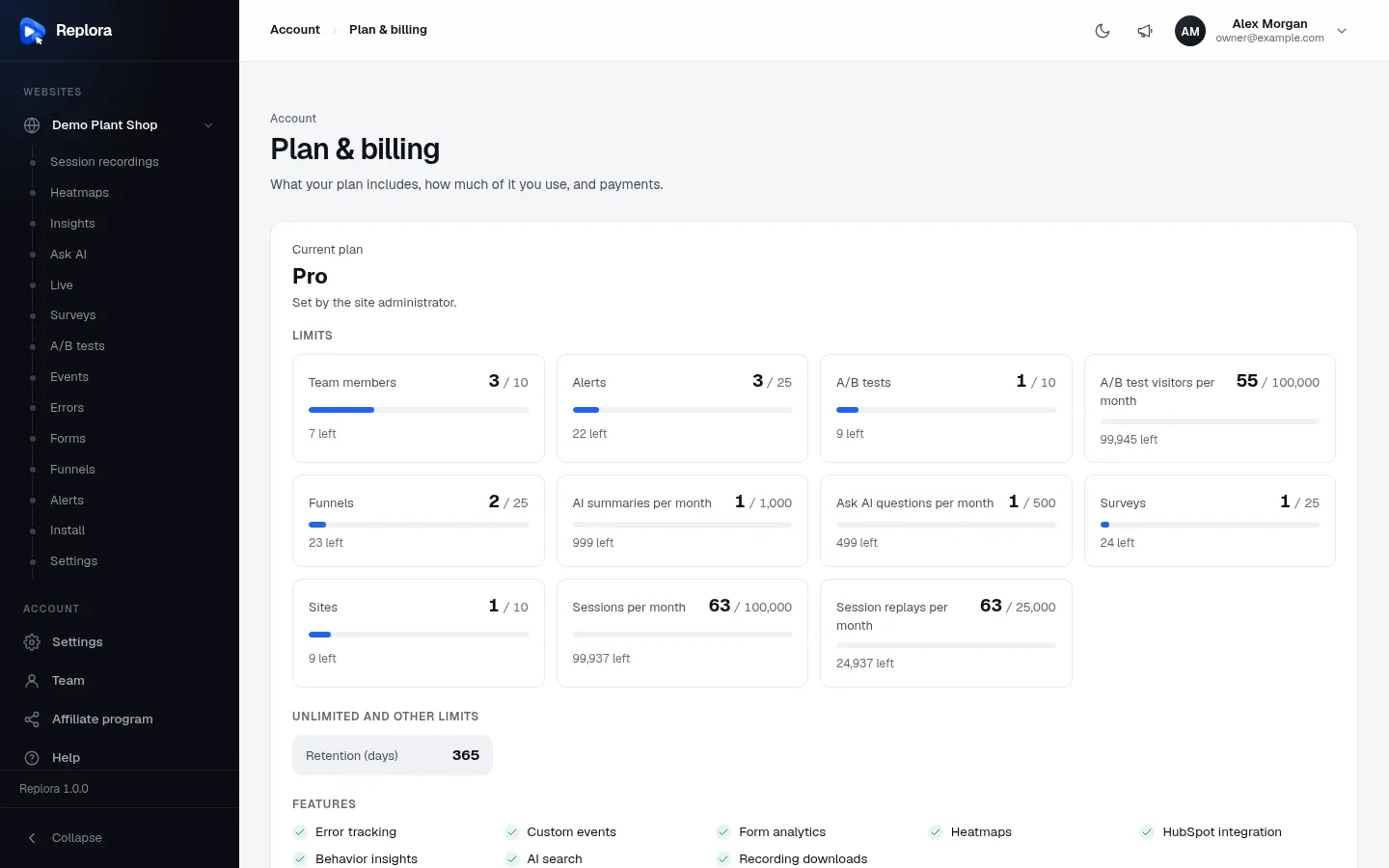
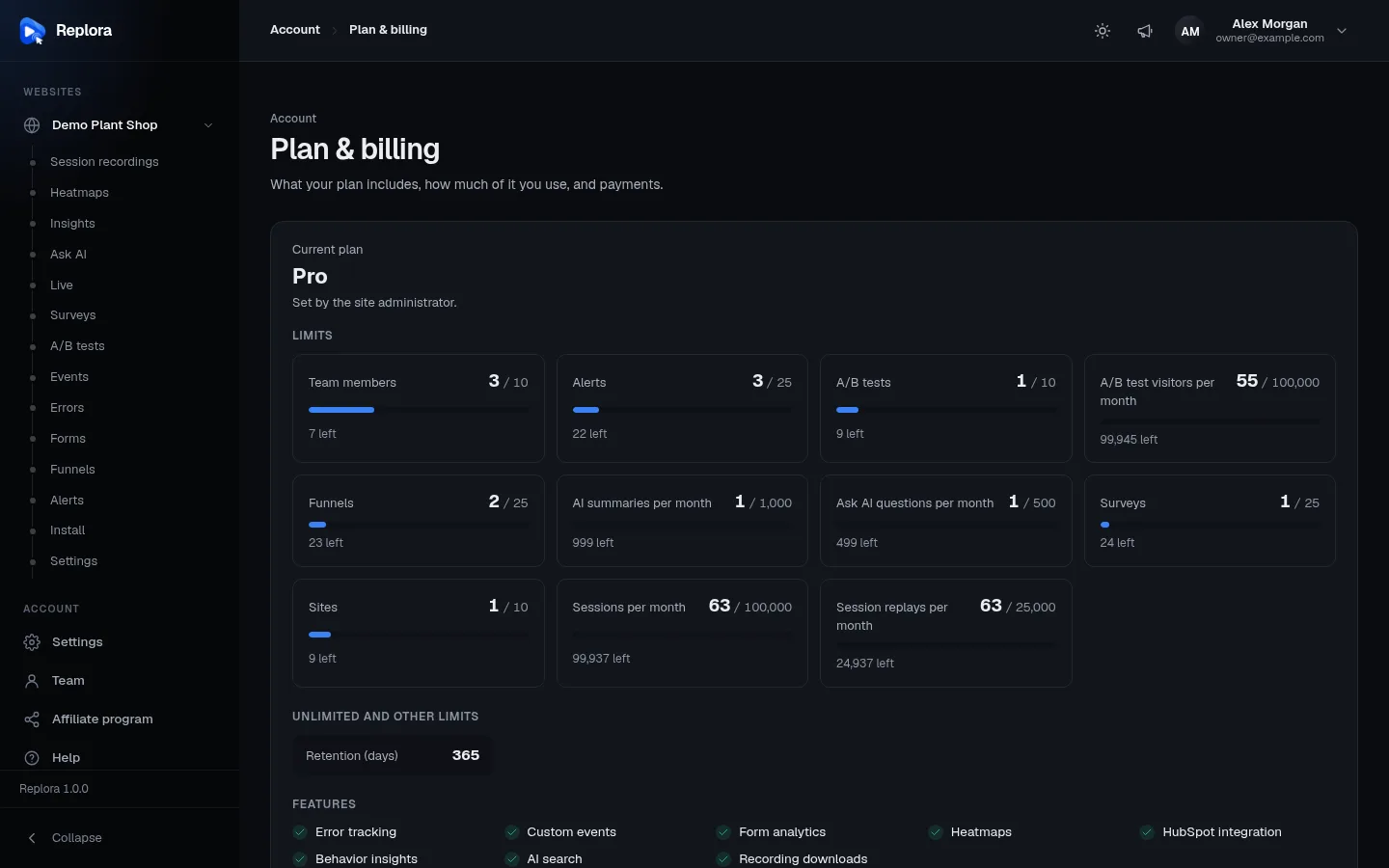
| What the customer does | What happens |
|---|---|
| Chooses a plan (Monthly or Yearly) | Replora creates the Paddle customer and a transaction for the price (the plan id travels as custom data), then opens /pay/paddle, which loads Paddle.js and shows Paddle’s checkout overlay (“Opening Paddle’s secure checkout…”) |
| Pays | Back on /plan?checkout=done. The plan changes only when Paddle’s notification confirms it |
| Opens an old payment link | A started checkout can be opened for 24 hours; after that: “This payment link has expired. Start again from Plan & billing.” |
| Picks another plan or interval while subscribed | The subscription is swapped to the new price and Paddle prorates |
| Cancel subscription | Cancelled at the end of the paid period; the plan stays until then |
| Resume subscription | Undoes the cancellation while the paid period runs |
| Manage billing | Opens Paddle’s customer portal (only after the account has paid once) |
| A payment fails | The subscription is past due; the plan keeps working for PLANS_GRACE_DAYS days (default 7) while Paddle retries |
A paused subscription counts as ended: the account is on the default plan until it is resumed in Paddle. When Paddle doesn’t answer, the customer sees “The payment provider did not answer. Try again in a moment.” and the details go to the log (storage/logs).
Test with the sandbox
- Create a Paddle sandbox account and repeat steps 1–4 there (prices, API key, client-side token, notification destination, default payment link).
- Turn Sandbox (test payments) on.
- Buy a plan on Plan & billing with Paddle’s test card
4242 4242 4242 4242, any future date, CVC100. - Check Developer tools › Notifications in Paddle for delivered events, and Plan & billing for the new plan.
For live payments, turn the sandbox off and replace the API key, the token, the secret and every plan’s Paddle price ids with the live ones.
The checkout doesn't open
Usually the Default payment link isn’t set, or the domain isn’t approved yet (live). Check also that the Client-side token belongs to the same environment (sandbox or live) as the API key.
Switching to Stripe
Stripe and Paddle keep their own tables, so switching loses no data. Running Paddle subscriptions stay in Paddle and are no longer listened to: let them end, or cancel them, before switching. See Billing: Stripe.
Related
- Plans & limits: price ids, upgrades and grace days
- Billing: Stripe
- Running a SaaS: the setup checklist
- Affiliate program: commissions from paid transactions
- Installation settings · Environment (.env)
- User guide: Plan & billing