
Appearance
Support desk
The support desk is a built-in help desk for your SaaS. Customers open tickets from Support in their dashboard, after the help articles that match their question. Your team answers them on the Support desk, with departments, priorities, assignment, tags, internal notes, saved replies and response-time targets. Everyone gets an email at each step.
Available inSingle userSaaSThe Tickets module is part of the SaaS edition (saas/modules/Tickets).| Where | Who |
|---|---|
Administration › Support desk (/desk) | administrators (support managers and agents find it under Account › Support desk) |
Support desk › Team, departments, tags, replies (/desk/settings) | administrators and support managers |
| Settings › Installation › Support tickets and Response times | administrators |
Account › Support (/support) | every customer, while tickets are open |
The support team
Three roles work on the desk:
| Role | Sees | Can |
|---|---|---|
| Administrator | every ticket | everything; always on the desk, can't be removed. Gives the roles below |
| Support manager | every ticket | answer, assign, change several tickets at once, delete tickets, manage departments, tags and saved replies |
| Support agent | only the tickets assigned to them | answer, add notes, change status, priority, department and tags of their tickets |
Give someone a role: Administration › Users, open the person's actions, Support role, then pick Support agent, Support manager or No role (customer only). The Support team card in Team, departments, tags, replies lists everyone on the desk with their open tickets and lets administrators change or remove a role. When a role is removed, that person's open tickets go back to the queue (unassigned).
The queue
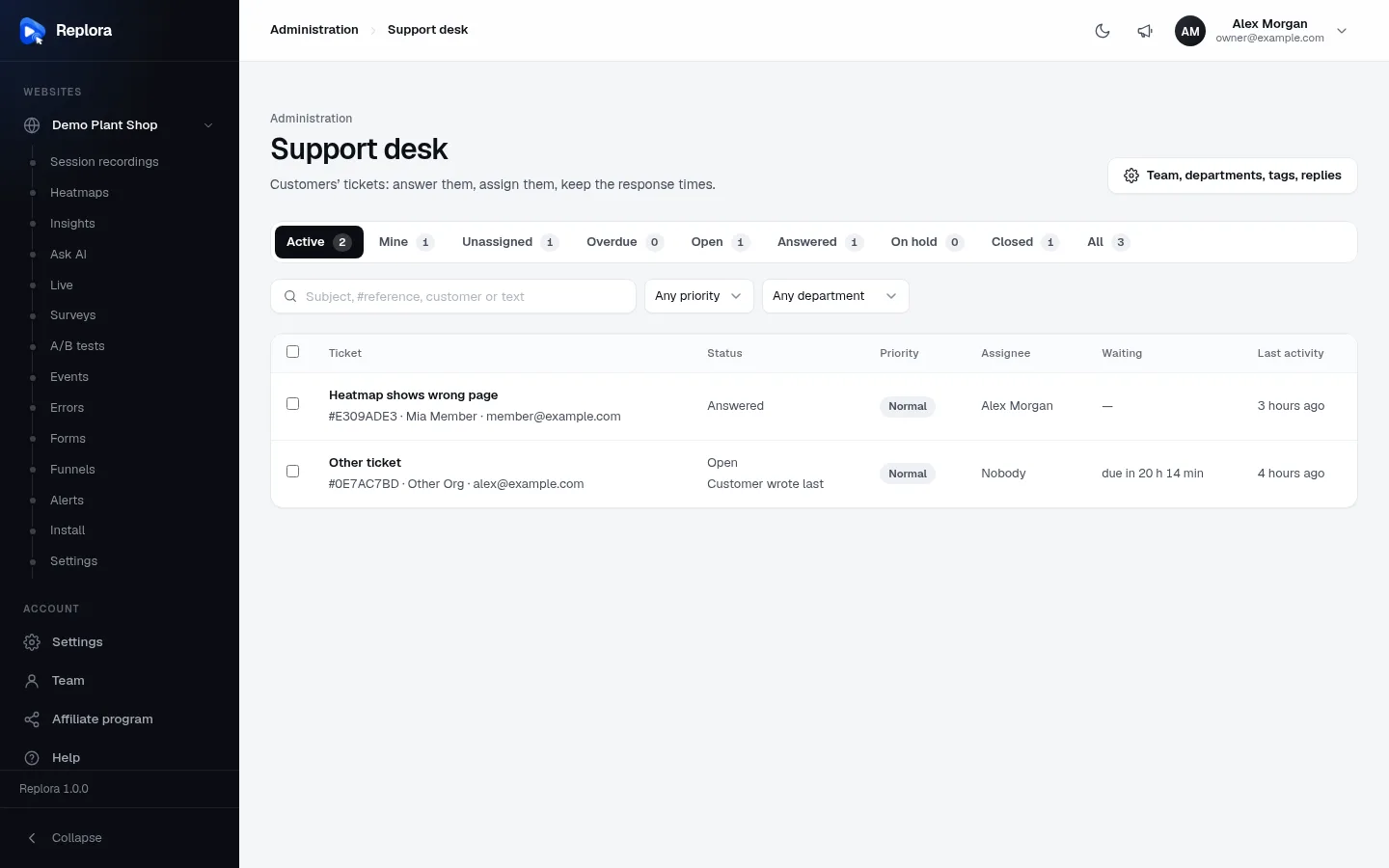
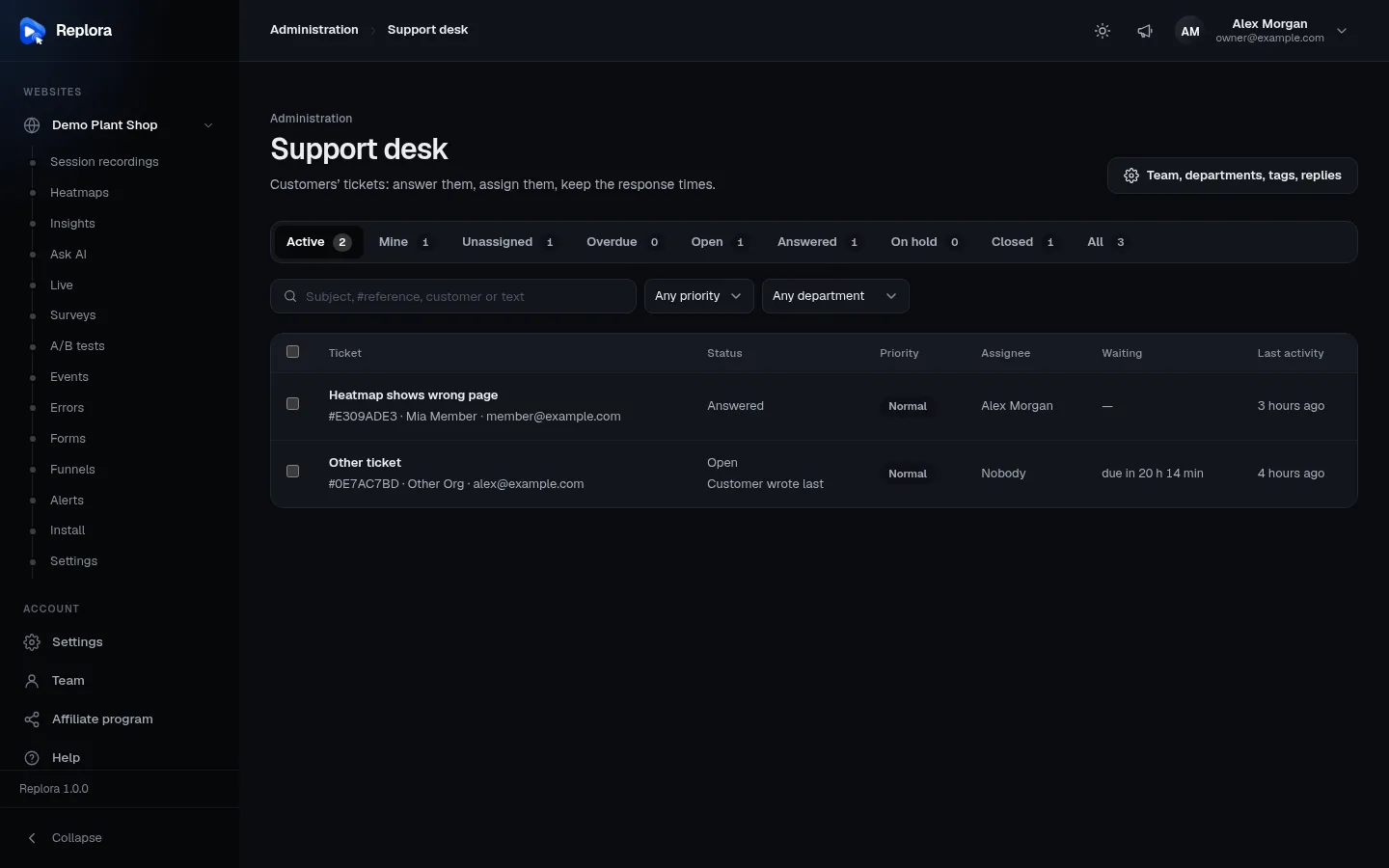
1. Team, departments, tags, repliesThe desk settings: the support team, departments customers choose from, tags and saved replies. Not shown to agents.
Views
| View | Tickets |
|---|---|
| Active (default) | every ticket that isn't closed |
| Mine | not closed, assigned to you |
| Unassigned | not closed, nobody assigned |
| Overdue | waiting for you (Open) and past the response-time target; always empty while response times are off |
| Open, Answered, On hold, Closed | that status |
| All | everything |
Agents see the same views, limited to their own tickets, and a notice that a support manager assigns new ones.
Order: overdue tickets first, then Urgent, then High, then by last activity. 25 tickets per page.
Search and filters
| Control | What it does |
|---|---|
| Search | Subject, reference (#E309ADE3 or part of it), customer name or email, and the text of every message |
| Any priority | Low, Normal, High, Urgent |
| Any department | One department |
| Any tag | One tag |
Columns
| Column | What it shows |
|---|---|
| Ticket | Subject; #reference, the customer's account and email |
| Status | Open, Answered, On hold or Closed; Customer wrote last when the customer had the last word |
| Priority | Low, Normal, High (orange), Urgent (red) |
| Assignee | Who handles it, or Nobody |
| Waiting | Time left to the response-time target (e.g. due in 20 h 27 min) or how late it is |
| Last activity | When something last happened |
Change several tickets
Tick tickets (or the header box for the whole page) and use Set status…, Set priority… or Assign to… (Nobody unassigns). Up to 100 at a time. Bulk changes send no emails to customers. Clear removes the selection. Only managers and administrators see the checkboxes.
Statuses and priorities
| Status | Customers see | Means | Set by |
|---|---|---|---|
| Open | Waiting for us | The customer is waiting for your answer; response-time clock runs | a new ticket, a customer reply, or the team |
| Answered | Answered | You replied; waiting for the customer | a team answer (default) |
| On hold | On hold | Paused (e.g. waiting for a fix); clock stopped | the team |
| Closed | Closed | Done; private access details erased | the team, the customer, or auto-close |
A customer reply to an Answered, On hold or Closed ticket makes it Open again (a closed one is logged as reopened). Priorities: Low, Normal (default), High, Urgent; the customer picks one when opening the ticket and the team can change it.
Answer a ticket
- Open the ticket from the queue (or from the link in the email).
- In the reply box choose the Kind: Answer the customer or Internal note (never shown to the customer, sends no email to them).
- Optional: Insert a saved reply… puts a saved text into the box.
- Write the message (up to 20 000 characters) and attach files if needed.
- For an answer, choose the Status after sending: Then: answered (default), Then: on hold, Then: closed or Then: keep open.
- Click Send answer (or Add note).
The customer gets the answer by email (and any Copies to addresses get a copy). If nobody was assigned, whoever answers first takes the ticket.
The ticket page
| Part | What it does |
|---|---|
| Thread | Every message with its files; internal notes are marked |
| Status, Priority, Department | Change them; customers are emailed only when a ticket is put On hold or Closed |
| Assignee | Managers and administrators assign; agents see A support manager assigns tickets. |
| Tags | Up to 10 labels for the team; customers never see them |
| Customer | Name, Email, Website, Page address, Session (Open the session), Copies to, Rating |
| Show private access details | Reveals the access details the customer added (for example a test login). Each reading is written to the activity log |
| Other tickets | The customer's other tickets |
| Activity | Who opened, replied, changed status/priority/assignee/department/tags, viewed or erased the private details, and when tickets became overdue or were auto-closed |
| Delete | Managers and administrators: deletes the ticket, its messages and files for good. The customer isn't told |
What customers see
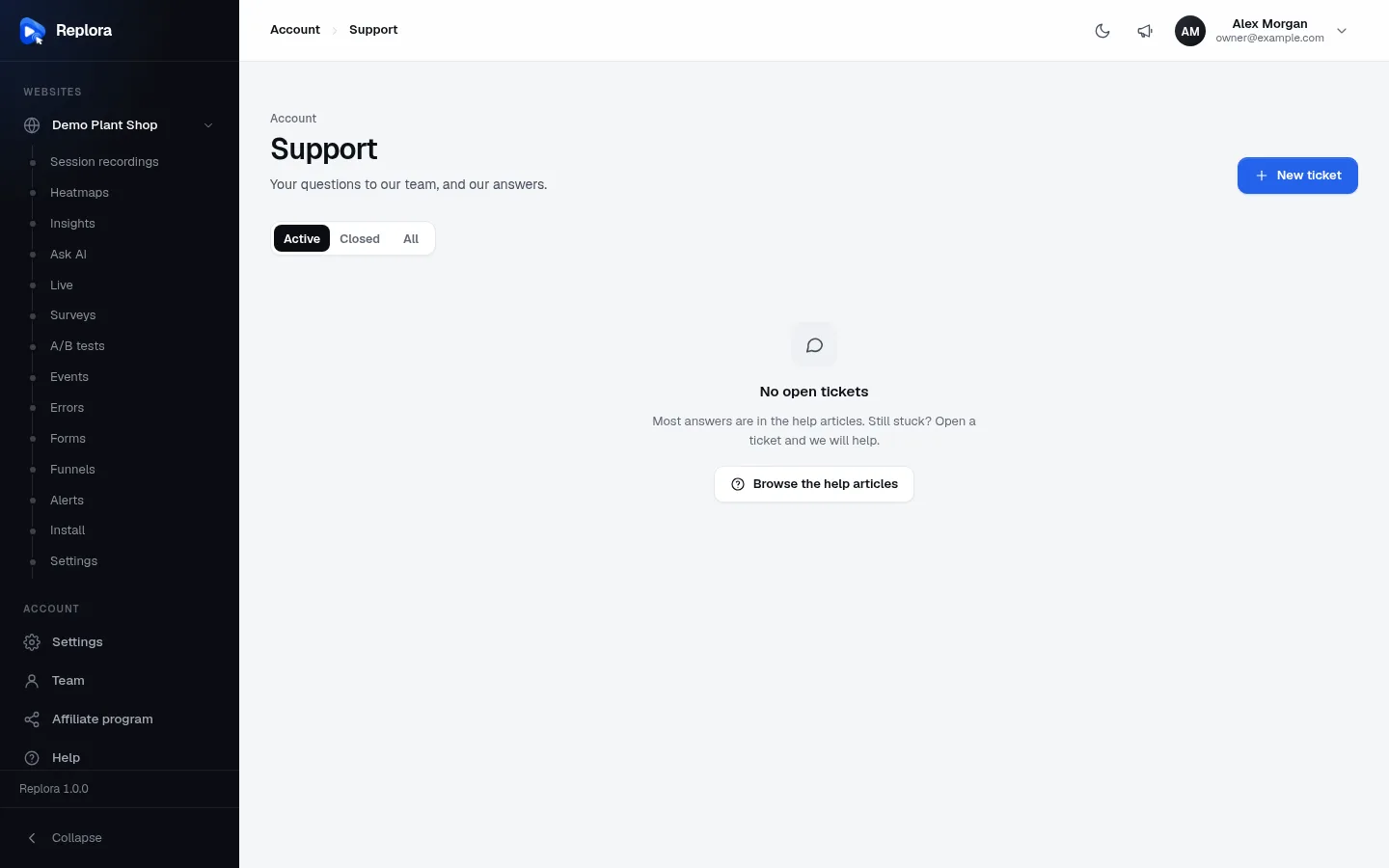
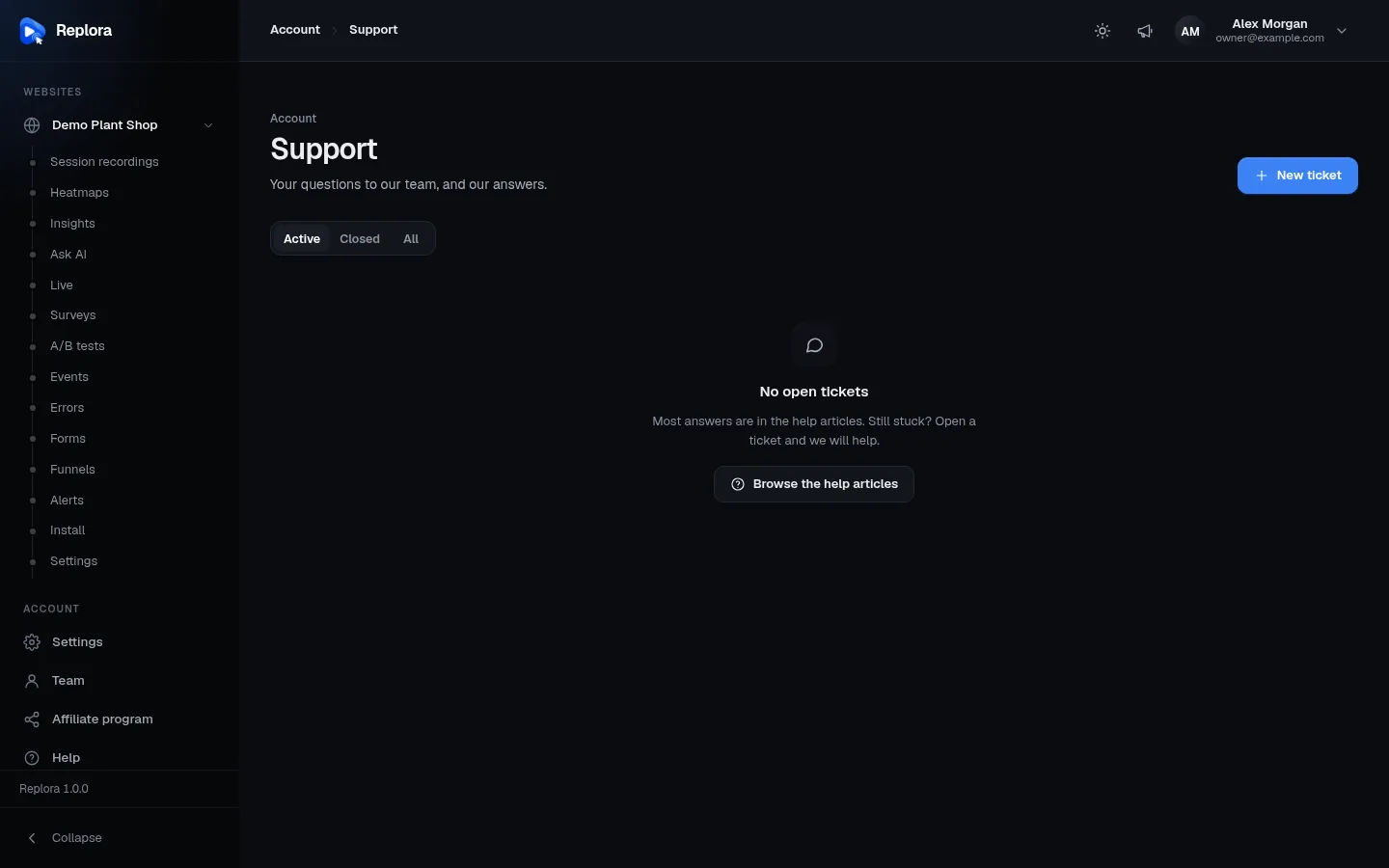
Account › Support lists the customer's tickets (Active, Closed, All; 20 per page) with Browse the help articles and New ticket. The menu item is hidden while Customers can open tickets is off.
New ticket form
As the customer types the subject, matching help center articles appear ("These articles may answer it") so many questions are solved before a ticket is sent.
| Field | Rules |
|---|---|
| Subject | Required, 4–200 characters |
| Department | The shown departments, in their order |
| Priority | Low, Normal (default), High, Urgent |
| Website | One of the customer's websites, or Not about one website |
| Message | Required, 10–20 000 characters |
| Attach files | Up to Files per message files of up to Largest file MB each |
| More details: Page address | Optional http(s) address, up to 255 characters |
| Link to a session that shows it | Optional http(s) address of a recording, up to 500 characters |
| Send copies to | Up to 5 email addresses, comma separated; they receive copies of your answers. A person may add at most 10 new copy addresses per day |
| Private access details | Optional, up to 3 000 characters, e.g. a test login. Stored encrypted, only the team sees them, erased when the ticket closes |
A person can open at most 10 tickets per minute.
On a ticket the customer can Reply (or Write again on a closed ticket: it opens again), Close ticket, change the details, Erase access details now, and, once you answered, rate it (How did we do?: 1–5 stars and an optional comment up to 1 000 characters, once). New answers appear by themselves (checked every 20 seconds). The user guide explains this for your customers: Support & help.
Attachments
Allowed types (checked by the file's content, not only its name): PNG, JPG/JPEG, GIF, WebP, PDF, TXT, LOG, CSV, JSON, HAR, ZIP, MP4, WebM. PNG, JPEG and WebP pictures are redrawn when saved, which removes hidden content and photo metadata (location, camera). Files are kept on the private disk (storage/app/tickets/<ticket>) and are only served to the ticket's customer and the team that may see the ticket; files of internal notes only to the team. Images open in the browser, other files download.
Settings
Settings › Installation (administrators). Defaults from saas/modules/Tickets/Config/tickets.php.
Support tickets
| Setting | What it does | Default | Allowed |
|---|---|---|---|
| Customers can open tickets | Off: the Support menu is hidden and new tickets are refused; the desk keeps working for existing tickets | On | on / off |
| Close answered tickets after (days) | Answered tickets with no customer reply for this long are closed (checked hourly). 0 = never | 7 | 0–90 |
| Files per message | Attachments per message | 5 | 1–10 |
| Largest file (MB) | Size of each attachment | 10 | 1–50 |
| Also email new tickets to | Extra addresses, comma separated, that get the team's emails (new tickets, customer replies, ratings) besides the administrators and managers | empty | up to 500 characters |
Upload size
The server's PHP upload_max_filesize and post_max_size must be at least as large as Largest file × Files per message, or uploads fail before Replora sees them.
Response times
| Setting | What it does | Default | Allowed |
|---|---|---|---|
| Track response times | Gives tickets waiting for you a deadline, fills the Overdue view and sends reminders | On | on / off |
| Urgent (hours) | Target for urgent tickets. 0 = no target for this priority | 4 | 0–720 |
| High (hours) | 8 | 0–720 | |
| Normal (hours) | 24 | 0–720 | |
| Low (hours) | 72 | 0–720 | |
| Remind before the deadline (minutes) | When the Due soon email is sent | 60 | 5–1440 |
| Count business hours only | Count the target only in working hours | Off | on / off |
| Working days | Monday to Friday, Monday to Saturday, Sunday to Thursday, Every day | Monday to Friday | |
| Opens at, Closes at | Working hours (whole hours; Closes at also offers 24:00) | 09:00, 18:00 | |
| Time zone | Time zone of the working hours and of the times in the deadline emails | UTC | any |
How the clock works: it starts when a ticket becomes Open (a new ticket, or a customer message after your answer; follow-ups while still waiting keep the running clock). A public answer stops it; internal notes don't. On hold stops it, and back to Open starts a fresh one. Changing the priority recalculates the deadline from when the ticket started waiting.
Departments, tags and saved replies
Support desk › Team, departments, tags, replies (administrators and support managers).
| List | Fields | Notes |
|---|---|---|
| Departments | Name (up to 80 characters), description (up to 200), Shown / Hidden | Customers choose one when they open a ticket; hidden ones aren't offered. Deleting one keeps its tickets, without a department. Starts with Technical support, Account & billing and Questions & ideas |
| Tags | Name (up to 40 characters, unique), colour: Blue, Green, Orange, Red, Grey | Labels for the team, never shown to customers. Deleting a tag removes it from every ticket |
| Saved replies | Title (up to 120 characters), the reply (up to 10 000) | Inserted into the answer box with one click |
| Support team | Role per person | Administrators only (see The support team) |
Set up the desk
- Check that email delivery works and the scheduler runs (reminders and auto-close need it).
- In Settings › Installation › Support tickets, keep Customers can open tickets on and set the attachment limits.
- In Response times, set targets per priority and, if your team works office hours, turn on business hours with your time zone.
- Open Support desk › Team, departments, tags, replies: rename or hide departments, add tags and a few saved replies.
- Give your support people a role from Administration › Users › Support role.
- Write help center articles for frequent questions: customers see them before they open a ticket.
Emails
Emails to people are in their own language. Team emails go to the ticket's assignee or, when nobody is assigned (or the assignee was suspended or lost their role), to every administrator and support manager, plus the Also email new tickets to addresses.
| To | When | |
|---|---|---|
| [ref] We received your ticket: … | customer | ticket opened (with their message) |
| New ticket [ref]: … | team | ticket opened; Reply-To is the customer |
| Re: [ref] … (New reply to your ticket) | customer, and copies to Copies to addresses | a team answer (not internal notes) |
| Re: [ref] … (… replied) | team | a customer reply |
| [ref] Your ticket is on hold / Your ticket was closed | customer | the team sets On hold or Closed (not bulk changes, not auto-close) |
| [ref] rated ★★★★☆ | team | a customer rating |
| Due soon: [ref] … / Overdue: [ref] … | assignee, else administrators and managers | before the deadline (Remind before the deadline) and once it passed; once each per waiting period |
Scheduled tasks
| Command | Runs | Does |
|---|---|---|
tickets:remind | every 5 minutes | sends Due soon and Overdue emails |
tickets:auto-close | hourly | closes answered tickets after Close answered tickets after (days) |
Both need the scheduler (cron).
Data and privacy
- Private access details are encrypted in the database, revealed to the team only on request (logged) and erased for good when a ticket is closed, by anyone or automatically.
- Download my data includes the person's tickets and messages, never the team's internal notes.
- Deleting a person or an account deletes their tickets with all files.
API
The pages use the REST API under /api/v1: tickets, tickets/{id}, tickets/{id}/messages, tickets/{id}/rating, ticket-files/{id} for customers, and desk/tickets, desk/tickets-bulk (status, priority, assignee or delete), desk/catalog, desk/staff, desk/departments, desk/tags, desk/saved-replies for the team. See REST API: overview.
Related
- Help center: the articles customers see before opening a ticket
- Users: giving support roles
- Installation settings
- Email delivery, Scheduler (cron), Background worker & email
- Support & help in the user guide