
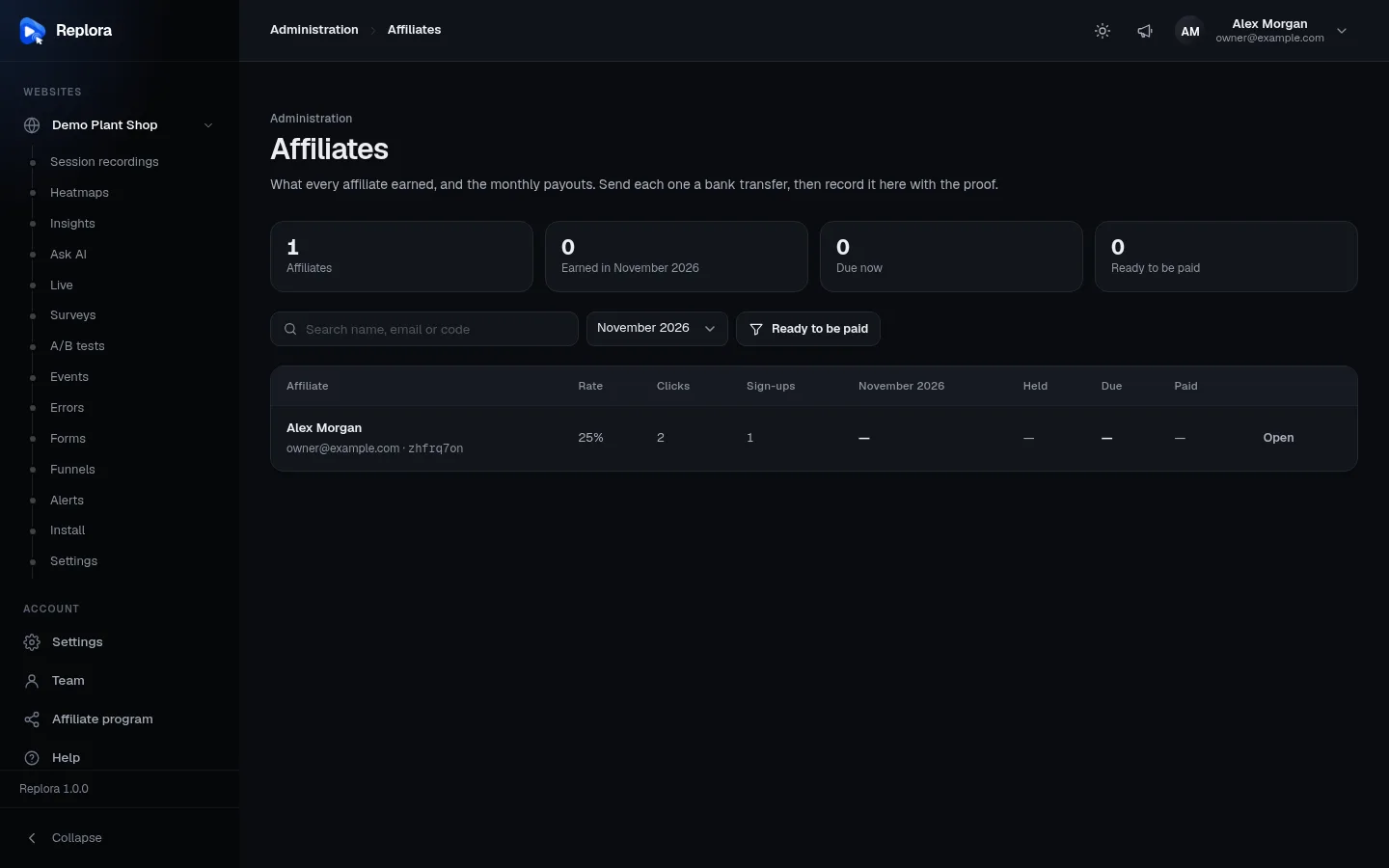
Appearance
Affiliate program
The affiliate program turns your customers into resellers. Anyone with an account can join, share a personal referral link and earn a percentage of what the accounts they bring pay you. Replora tracks the clicks, the sign-ups and every commission. Once a month you send each affiliate a bank transfer and record it, with the bank's receipt, on the Affiliates page.
Available inSingle userSaaSThe Affiliates module is part of the SaaS edition (saas/modules/Affiliates).The program has three sides:
| Where | Who | What |
|---|---|---|
| Settings › Installation › Affiliate program | administrators | Open or close the program, set the commission, how long it is paid, the cookie window, the holding period, the payout currency and the smallest payout |
Administration › Affiliates (/affiliates) | administrators | Every affiliate with their earnings, recording payouts, own rates, pausing a link, voiding refunded commissions |
Account › Affiliate program (/affiliate) | every signed-in person, while the program is open | Joining, the referral link, clicks, sign-ups, earnings, payouts with their proof, bank details |
/affiliate-program on the public website | visitors | The program's terms and a Become an affiliate button (only while the program is open) |
How it works
- An administrator opens the program in the settings.
- A customer joins from Account › Affiliate program and gets a link such as
https://your-site.com/?ref=zhfrq7on. - A visitor opens the link. Replora remembers the affiliate in the visitor's browser for the Link remembered for days and counts one click.
- The visitor creates an account in that browser. The new account becomes the affiliate's referral (once: an account is referred only once, and an affiliate never refers their own account).
- Each time the referred account pays (a paid Stripe invoice or a completed Paddle transaction), the affiliate earns their rate of the amount without tax, as long as the payment falls within the Paid for months after the sign-up.
- The commission is held for the holding period (so refunds and chargebacks come first), then becomes due.
- On the 1st of each month administrators get an email listing the affiliates that are ready to be paid. You send the bank transfers, then record each one on the Affiliates page. The affiliate gets an email and can download the proof.
Commission states
| State | Meaning |
|---|---|
| Held | Earned less than Holding period days ago |
| Due | Past the holding period, not paid yet: it will be included in the next payout |
| Paid | Included in a recorded payout |
| Void | Voided by an administrator (for example the payment was refunded); doesn't count anywhere |
Program settings
Settings › Installation › Affiliate program (administrators). The settings are stored in the database; the values below are the defaults from saas/modules/Affiliates/Config/affiliates.php.
| Setting | What it does | Default | Allowed |
|---|---|---|---|
| Open the affiliate program | Off: nobody can join, links aren't remembered, no sign-ups are credited, no commissions are earned, the Affiliate program menu item and the public /affiliate-program page disappear. Affiliates, commissions and payouts already recorded stay, and you can still pay due commissions | Off | on / off |
| Commission (%) | The share of each payment (without tax) a referrer earns. A new rate applies to payments from then on; commissions already earned keep their rate | 25 | 1–90 |
| Paid for (months) | Payments made within this many months after the referred account signed up earn a commission. 0 = for as long as the account pays | 12 | 0–120 |
| Link remembered for (days) | How long the referral cookie lasts in the visitor's browser | 60 | 1–365 |
| Holding period (days) | How long a commission stays Held before it becomes Due | 30 | 0–120 |
| Payout currency | The currency the smallest payout is set in, shown on the program pages | USD | USD, EUR, GBP, CAD, AUD, CHF, JPY, INR, BRL |
| Smallest payout | Affiliates are listed as ready to be paid once their due balance in the payout currency reaches this amount (in whole units, e.g. 50 = $50). 0 = any balance | 50 | 0–100000 |
Choose the payout currency to match your prices
Commissions are recorded in the currency the customer paid in, and amounts in different currencies are never added together. Only a due balance in the payout currency can make an affiliate ready to be paid; balances in other currencies show under Due and wait for you to pay them by hand (see Record a payout).
The Affiliates page
Administration › Affiliates (/affiliates, administrators only).
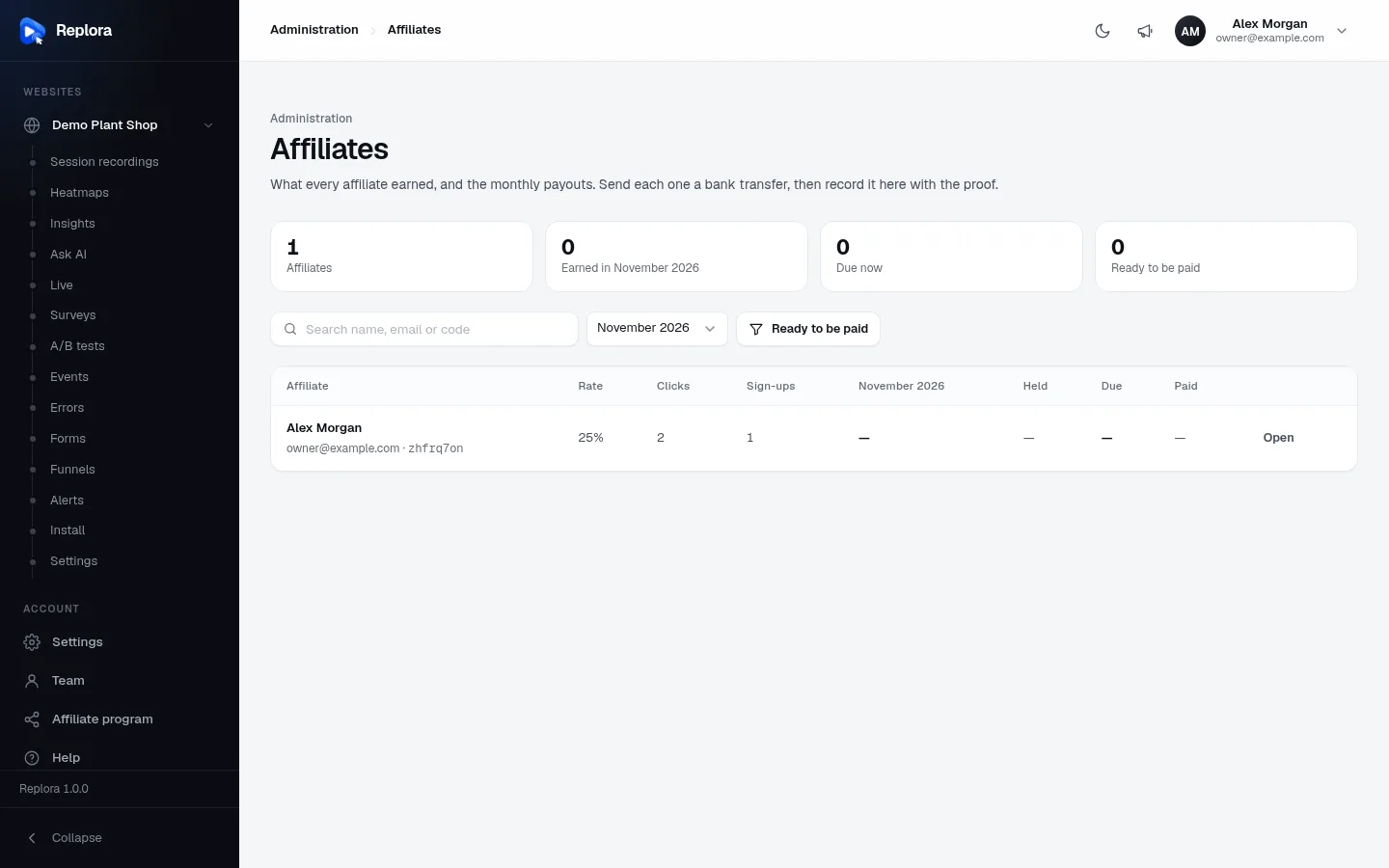
1. TotalsHow many affiliates, what they earned in the chosen month, what is due now and how many are ready to be paid.
When the program is closed a notice at the top says so.
Columns
| Column | What it shows |
|---|---|
| Affiliate | Name, email and code. Paused when their link is paused, No bank details when they haven't entered them |
| Rate | Their commission in %; own rate when it differs from the program's |
| Clicks | Visits through their link (counted once per browser and code) |
| Sign-ups | Accounts created through the link; n paying = how many of them paid at least once |
| (month) | Commissions earned in the chosen month |
| Held | Commissions still in the holding period |
| Due | Commissions that can be paid now |
| Paid | Everything paid so far |
| (button) | Pay when ready to be paid, otherwise Open |
Amounts are shown per currency, e.g. $75.00 · €40.00. Voided commissions are left out everywhere.
One affiliate
Clicking an affiliate opens a dialog (its subtitle shows their email and link):
| Section | What you can do |
|---|---|
| Totals | Due now, Held, Paid, and Clicks / sign-ups / paying |
| Bank details | Account holder, Bank, IBAN or account number, SWIFT / BIC, Country, Notes, each with a copy button for your banking app. Without bank details the affiliate can't be paid |
| Record a bank transfer | Shown when they have bank details and something is due (see below) |
| Payouts | Date, reference and note, amount, proof (download, Attach proof or replace it) and Undo |
| Rate and link | Own commission (1–90 %, empty = the program's rate; applies to new payments) with Save rate; Pause link / Resume link |
| Commissions | The last 200: date, referred account (its name), payment, commission and rate, state, and Void (refunded) / Count again |
Record a payout
Open Administration › Affiliates and turn on Ready to be paid (or wait for the monthly email).
Click Pay next to an affiliate.
Copy the bank details into your bank and send the amount shown in Record a bank transfer.
Back in Replora fill in the form:
Field Notes Currency Only when something is due in more than one currency: pick the balance to pay Transfer reference Optional, up to 120 characters (e.g. TRX-…)Paid on The transfer's date, today or earlier (default today) Note Optional, up to 500 characters; the affiliate sees it Proof of payment Optional: the bank's receipt or statement, PDF, PNG, JPG or WebP, up to 10 MB. The affiliate can download it Click Record payout of …. Every due commission in that currency is marked Paid and the affiliate receives the email Your affiliate payout of … is on its way with the date and reference.
The payout always covers all commissions due in that currency; you can't pay part of a balance. The form is available whenever something is due, even below the smallest payout or in another currency.
Undo only when the transfer didn't happen
Undo deletes the payout and its proof, and its commissions become Due again. The affiliate already received the "payout on its way" email; there is no email for the undo.
To add the proof later, click Attach proof in the payout's row (a new file replaces the old one).
Refunds and chargebacks
Replora does not void commissions by itself when a payment is refunded. When you refund a referred customer:
- Open the affiliate and find the commission in Commissions.
- Click Void (refunded). It no longer counts in any total. Count again restores it.
Only unpaid commissions can be voided. That is what the holding period is for: set it longer than your refund window.
Pause an affiliate
Pause link stops a person from earning: new payments of their referrals earn nothing and their link no longer records clicks or credits new sign-ups. Everything already earned stays and can still be paid. The affiliate sees Your affiliate link is paused on their page. Resume link makes it earn again (payments made while paused are not credited afterwards).
What affiliates see
Account › Affiliate program (/affiliate). The menu item appears for everyone while the program is open.
Before joining, the page explains the terms (the rate, how long the link is remembered, for how many months, monthly bank transfers) and shows Join the affiliate program. Joining is instant, there is no approval step: every person who joins is active straight away. Each person has one affiliate record with a random 8-character code; joining again returns the same link.
After joining:
| Part | What it shows |
|---|---|
| Your referral link | The link with Copy link. Any page works: ?ref=CODE can be added to any address of your website |
| Stats | Clicks, Sign-ups, Paying accounts, Held for n days, Due at the next payout, Paid to you |
| Where we pay you | The bank account (see below), with Change |
| Earnings per month | Month, number of payments, amount earned |
| Payouts | Date, reference and note, amount, proof download |
| Commissions | Date, Account #id (affiliates never see the names of the accounts they referred), payment, rate, commission, state |
Bank details form:
| Field | Rules |
|---|---|
| Account holder | Required, up to 120 characters |
| Bank | Required, up to 120 characters |
| IBAN or account number | Required, up to 64 characters (stored upper-case) |
| SWIFT / BIC | Optional, 8 or 11 letters and digits; needed for transfers between countries |
| Country | Optional, up to 60 characters |
| Notes for the transfer | Optional, up to 500 characters (e.g. a routing number) |
Bank details are stored encrypted and only the affiliate and administrators see them.
The public page
While the program is open the website footer links to Affiliate program (/affiliate-program). The page is built from the settings: the commission and for how long, three steps (Get your link, Share it, Get paid every month), and answers about earnings, payment dates, the minimum and self-referrals. Become an affiliate leads signed-in visitors to /affiliate and others to /signup (they join from the dashboard after creating their account). While the program is closed the page returns Not found.
Emails
| To | When | |
|---|---|---|
| n affiliates are ready to be paid | every administrator | The 1st of each month at 09:00 (affiliates:payouts-due), only when the program is open and at least one affiliate is ready; lists the total per currency and links to the Affiliates page |
| Your affiliate payout of … is on its way | the affiliate | When you record a payout |
The monthly email needs the scheduler; emails need email delivery. Run the check by hand with:
bash
php artisan affiliates:payouts-dueData and privacy
- The referral cookie is
sr_ref: it holds only the public code, is HTTP-only and expires after Link remembered for days. The latest link a visitor opened wins. - Download my data includes the person's affiliate code, rate, bank details and payouts.
- Deleting a person deletes their affiliate record, payouts and proof files. Deleting an account deletes the affiliate records of its people. The account's own referral stays with its affiliate, so what was earned and paid keeps adding up.
- Proofs are kept on the server's private disk (
storage/app/affiliate-proofs) and only downloaded by the affiliate and administrators.
API
The pages use the REST API (/api/v1): GET/POST affiliate, PUT affiliate/bank, GET affiliate-payouts/{id}/proof, and for administrators GET admin/affiliates, GET/PATCH admin/affiliates/{id}, POST admin/affiliates/{id}/payouts, POST admin/affiliate-payouts/{id}/proof, DELETE admin/affiliate-payouts/{id}, POST admin/affiliate-commissions/{id}/void. See REST API: overview.
Related
- Plans & limits: what referred accounts pay for
- Billing: Stripe and Billing: Paddle: the payments that earn commissions
- Public website: the footer and the public program page
- Installation settings
- Scheduler (cron) and Email delivery