
Appearance
Service status & maintenance
Replora checks the services it depends on — database, cache, background jobs, scheduled tasks, storage, email, the website, the tracking script, the SSL certificate, the license and whether recordings arrive — every five minutes, and emails the administrators when one starts failing and when it works again. Maintenance mode closes the website and dashboard to everyone but administrators while recording keeps running.
Where: Administration › System, the Service status and Maintenance mode cards below Updates.
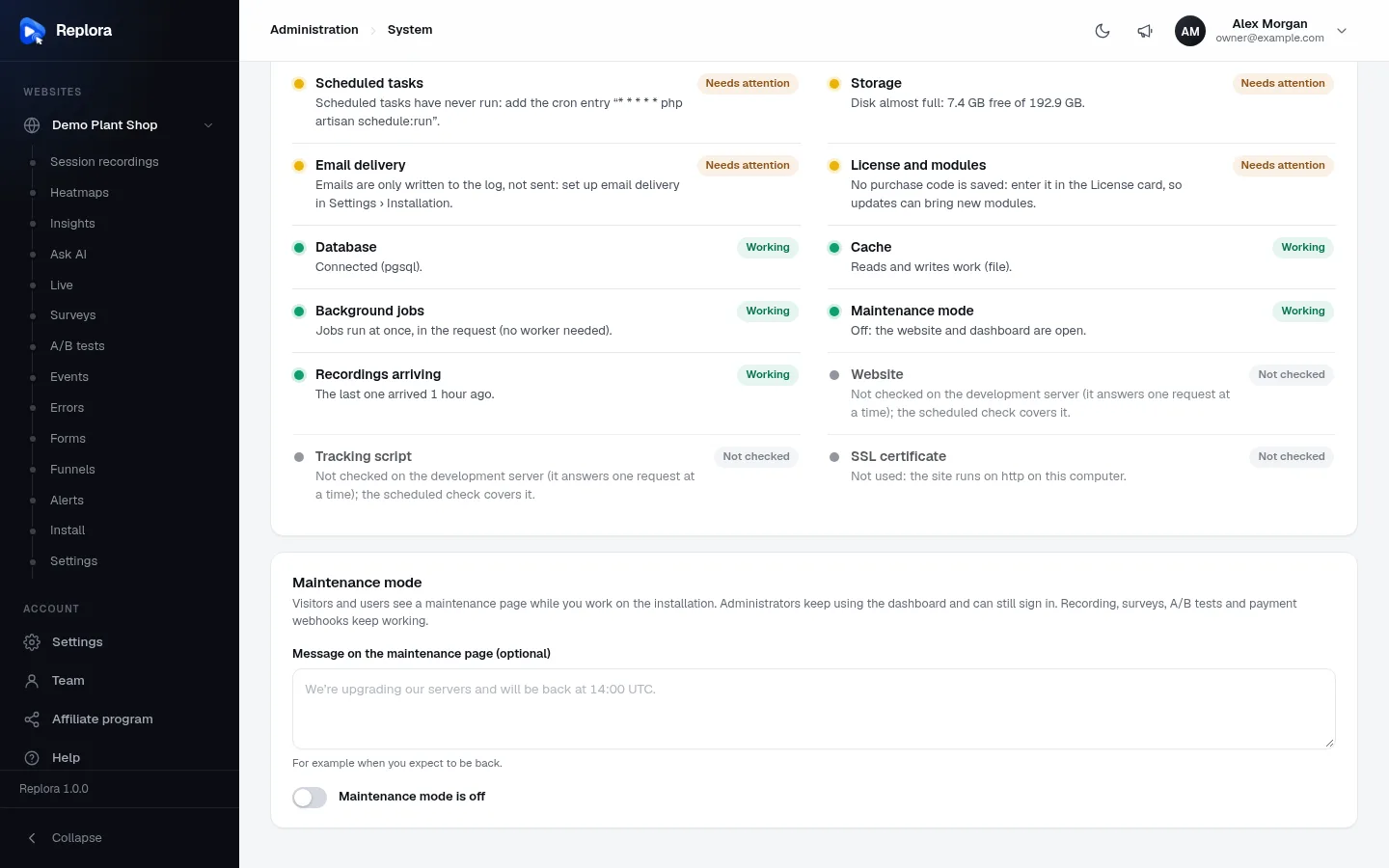
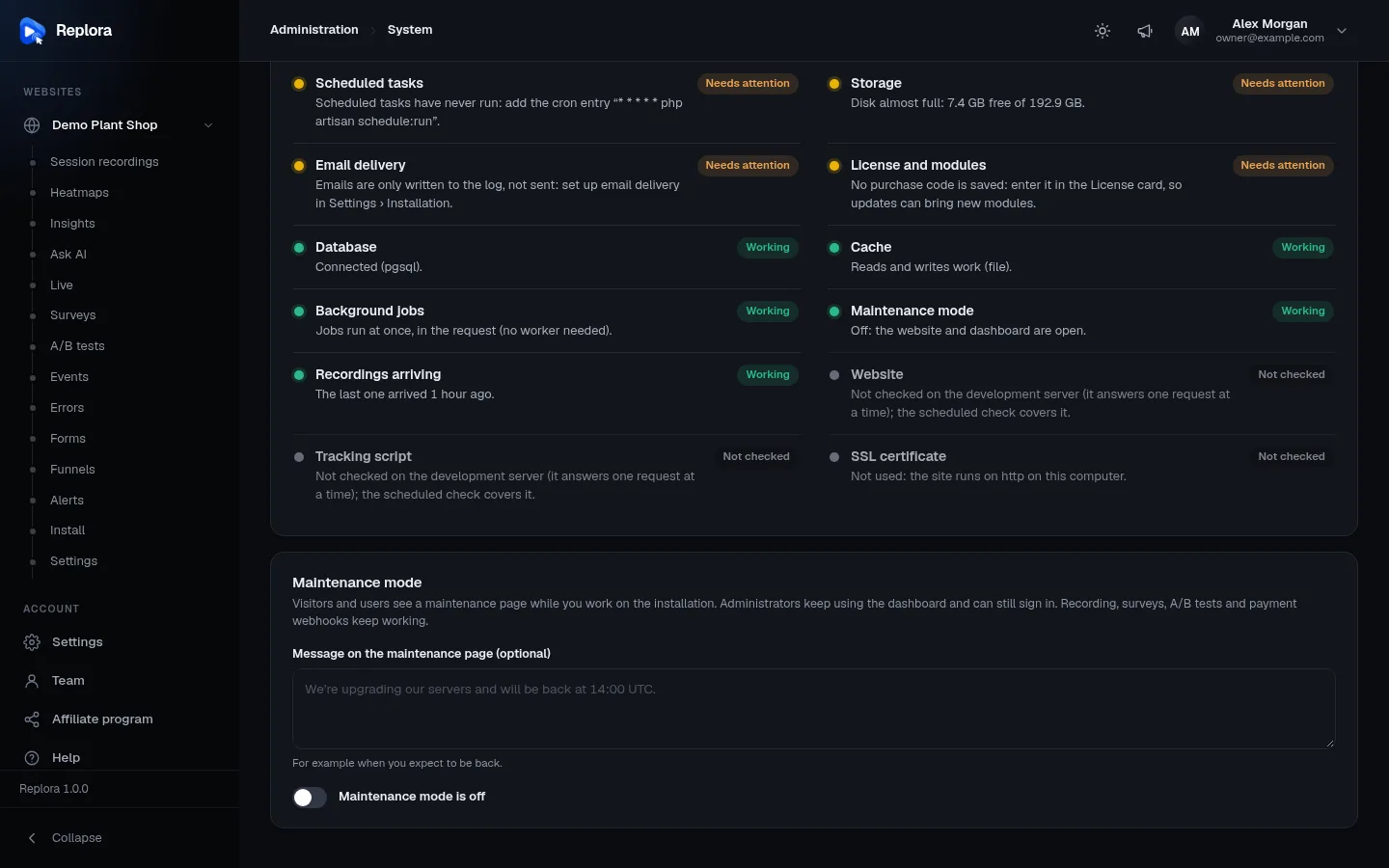
1. ChecksProblems first (failing, then needing attention), then the rest. Each says what to do.
Service status
The card header says Checked every five minutes; administrators get an email when a service starts failing and when it works again. Below it:
- a summary line: a pill for the worst state, All services are working, N services need attention or N services are failing, and Checked {when} (hover for the exact time);
- every check, failing first, then needing attention, then the others in their usual order;
- Check now: runs every check at once (at most 10 times a minute).
Each check has one of four states:
| State | Pill | Meaning |
|---|---|---|
| ok | Working (green) | Fine. |
| warn | Needs attention (amber) | Works, but something should be done. |
| fail | Failing (red) | Broken; an email goes to the administrators. |
| off | Not checked (grey) | Not used here, or can't be checked in this setup. |
The page shows the result of the last run (the five-minute check, or your last Check now). Before any run, opening the page runs the checks.
Every check
| Check | Working | Needs attention | Failing / Not checked |
|---|---|---|---|
| Database | Connected (pgsql). | — | Failing with the database error. |
| Cache | Reads and writes work (file). | — | A value written to the cache could not be read back. |
| Background jobs | Jobs run at once, in the request (no worker needed). (queue driver sync), or Workers keep up (database). | N jobs failed in the last 24 hours (php artisan queue:failed lists them). | N jobs are waiting, the oldest for M minutes: is a queue worker running? (database queue, oldest job waiting over 5 minutes) |
| Scheduled tasks | Ran N seconds ago. (the scheduler's heartbeat, written every minute, is at most 3 minutes old) | Scheduled tasks have never run: add the cron entry "* * * * * php artisan schedule:run". | Last ran N minutes ago: check the cron entry … |
| Storage | Files are written and read; 80 GB free of 200 GB. (a file is written to and read from the local and recordings disks) | Disk almost full: … free of …. — less than 10 % or less than 1 GB free | Files can't be written to the "recordings" disk. |
| Email delivery | The mail server smtp.example.com:587 answers. (SMTP greeting received) or Sent through mailgun. | Emails are only written to the log, not sent: set up email delivery in Settings › Installation. | The mail server … can't be reached: … or … answered unexpectedly. |
| Website | https://your-domain.com answers (200). | — | … answers with an error (500).; Not checked on PHP's development server (php artisan serve) |
| Tracking script | Websites can load it from https://your-domain.com/t.js. | — | … doesn't serve the script (404): recordings stop.; Not checked on the development server |
| SSL certificate | Valid for N more days. | The certificate expires in N days. (under 14); The site runs without https: browsers mark it "Not secure", and sign-ins aren't protected. | The certificate expired N days ago., The certificate of {host} couldn't be read.; Not checked for http://localhost / 127.… |
| License and modules | Purchase code saved (saas), support until 2027-11-20. | No purchase code is saved: enter it in the License card…; Some modules belong to another version…; Support ended on {date}: updates keep working; renew support for help from our team. | Missing modules: N. Enter your purchase code on this page to download them. |
| Maintenance mode | Off: the website and dashboard are open. | On: visitors see the maintenance page. Recording and webhooks keep working. | — |
| Recordings arriving | The last one arrived 11 minutes ago. (within the last day) | No recording has arrived yet: check that the tracking code is on your websites.; Nothing arrived for 3 days: is the tracking code still on your websites? | Not checked: No websites yet. |
The website, tracking-script and mail checks wait at most 5 seconds for an answer. Recordings arriving comes from the Recordings module; other modules can add checks of their own.
Not checked on your computer
On php artisan serve the server answers one request at a time, so it can't call itself: Website and Tracking script show Not checked there. On a real server they run normally, also in the scheduled check.
The five-minute check and the emails
The scheduler runs php artisan replora:health every five minutes (and writes a heartbeat every minute for Scheduled tasks). It needs the cron entry from Scheduler (cron).
After each run it compares every check with the previous run and emails every administrator who isn't suspended:
- A service of {product} is failing — when a check becomes Failing (one line per check: Failing: Storage. …);
- All services of {product} work again — when a failing check recovers (Works again: Storage.);
with a See the service status button that opens System. You get one email per change, not one every five minutes. Needs attention never sends email: look at the page now and then.
Run it by hand any time: php artisan replora:health prints every check and exits with an error code when something fails (useful for your own monitoring).
Maintenance mode
The card explains: Visitors and users see a maintenance page while you work on the installation. Administrators keep using the dashboard and can still sign in. Recording, surveys, A/B tests and payment webhooks keep working.
| Field | What it does |
|---|---|
| Message on the maintenance page (optional) | Up to 500 characters, e.g. We're upgrading our servers and will be back at 14:00 UTC. Empty: the standard text. Can only be edited while maintenance mode is off. |
| Maintenance mode is off / on | The switch. Turning it on asks Turn on maintenance mode? Everyone except administrators sees the maintenance page until you turn it off. — Turn on. Turning it off is immediate. |
While it is on, the card shows Maintenance mode is on since {date}., and the Maintenance mode check shows Needs attention.
Who gets in while it is on
| Who / what | While maintenance mode is on |
|---|---|
| Administrators | Keep using the dashboard and the API (session or API token) as usual, and can still sign in. |
| Other signed-in people | See the maintenance page; the API answers We're down for maintenance. Please try again in a few minutes. (503, retry after 60 seconds). Signing out still works. |
| People signing in | The sign-in form still opens. Administrators get in; anyone else is signed out again with We're down for maintenance: only administrators can sign in right now. Please try again later. |
| Tracking script and recording | Keep working: visits are still recorded. |
| Surveys and A/B tests on your sites | Keep working. |
| Payment webhooks (Stripe, Paddle) | Keep working, so no payment is lost. |
| The public website (SaaS) | Shows the maintenance page. |
Do maintenance
- Open System and scroll to Maintenance mode.
- Optionally write a Message, e.g. when you expect to be back.
- Switch it on and confirm with Turn on.
- Do your work. Your own dashboard keeps working.
- Switch it off. Everyone gets back in at once.
Updates and maintenance
Finishing an update from the System page doesn't need maintenance mode: the site keeps running. On the command line, replora:upgrade turns maintenance on while it runs unless you pass --no-maintenance.
Related
- System: version, license & updates
- Scheduler (cron) — needed for the five-minute check
- Background worker & email — the Background jobs check
- Email delivery — the Email delivery check and the alert emails
- Troubleshooting