
Appearance
AI features (Claude)
Replora's AI features — session summaries, questions about a session, the plain-words session search, Ask AI with its site summary, and the help chat — are answered by Anthropic's Claude with your API key. Without a key they are simply off. This page explains the settings, each feature, what it costs and limits, and exactly what is sent to Claude.
Where: Settings › Installation › AI (Claude) (/settings#installation), administrators only.
The settings
Session summaries, questions, AI search, Ask AI and site summaries are answered by Claude. Each answer is billed to this key.
| Field | Default | What it does |
|---|---|---|
| Anthropic API key | — (ANTHROPIC_API_KEY in .env) | From console.anthropic.com. Empty = the AI features are off. Stored encrypted; shows Saved once set; Remove turns every AI feature off. |
| Model | Claude Opus 5.5 (REPLORA_AI_MODEL) | Claude Opus 5.5 (claude-opus-5-5, best answers), Claude Sonnet 5.5 (claude-sonnet-5-5), Claude Haiku 5.5 (claude-haiku-5-5, fastest and cheapest). Used by every feature. |
| Effort for summaries | Low (REPLORA_AI_EFFORT) | Low / Medium / High. More effort: better answers, slower and dearer. Used by session summaries, questions about a session, AI search and the help chat. |
| Effort for Ask AI | Medium (REPLORA_ASSISTANT_EFFORT) | Low / Medium / High. Used by Ask AI and the site summary, which read many reports per answer. |
The help chat has two more settings in the Help center card: Answer questions with AI (on) and the "Contact us" link (Help center).
Each call waits at most 120 seconds for Claude. When the chosen model is overloaded, Anthropic's server-side fallback may answer with another model; the stored summaries record which model wrote them.
Turn the AI features on
- Create an API key at console.anthropic.com › API keys (an account with billing set up).
- Open Settings › Installation › AI (Claude), paste it into Anthropic API key.
- Pick a Model and the two efforts (the defaults are a good start), press Save.
- Open a recording and write its summary, or ask something on Ask AI, to check.
To turn everything off again, press Remove next to the key and Save.
The features
| Feature | Where people use it | What Claude does | Stored | Limits |
|---|---|---|---|---|
| AI summary of a session | Replay › Summarize this session (Watching a replay) | Writes a few sentences on what the visitor did and how it ended, the outcome, and a timeline of up to 20 key moments. | Yes, with model and tokens; Write again replaces it | Plan: AI summaries per month; 20 a minute per person |
| Questions about a session | Replay › Summary ("Why didn't they pay?") | Answers from the same facts and moments, naming the moments it relies on so the player can jump there. | No | Counts as an Ask AI question; 30 a minute |
| AI search | Session recordings › the plain-words search box (Filters & search) | Turns "mobile visitors from Google who rage-clicked at checkout last week" into the list's normal filters; the search itself runs in the database. | No | Plan: AI search; 20 a minute |
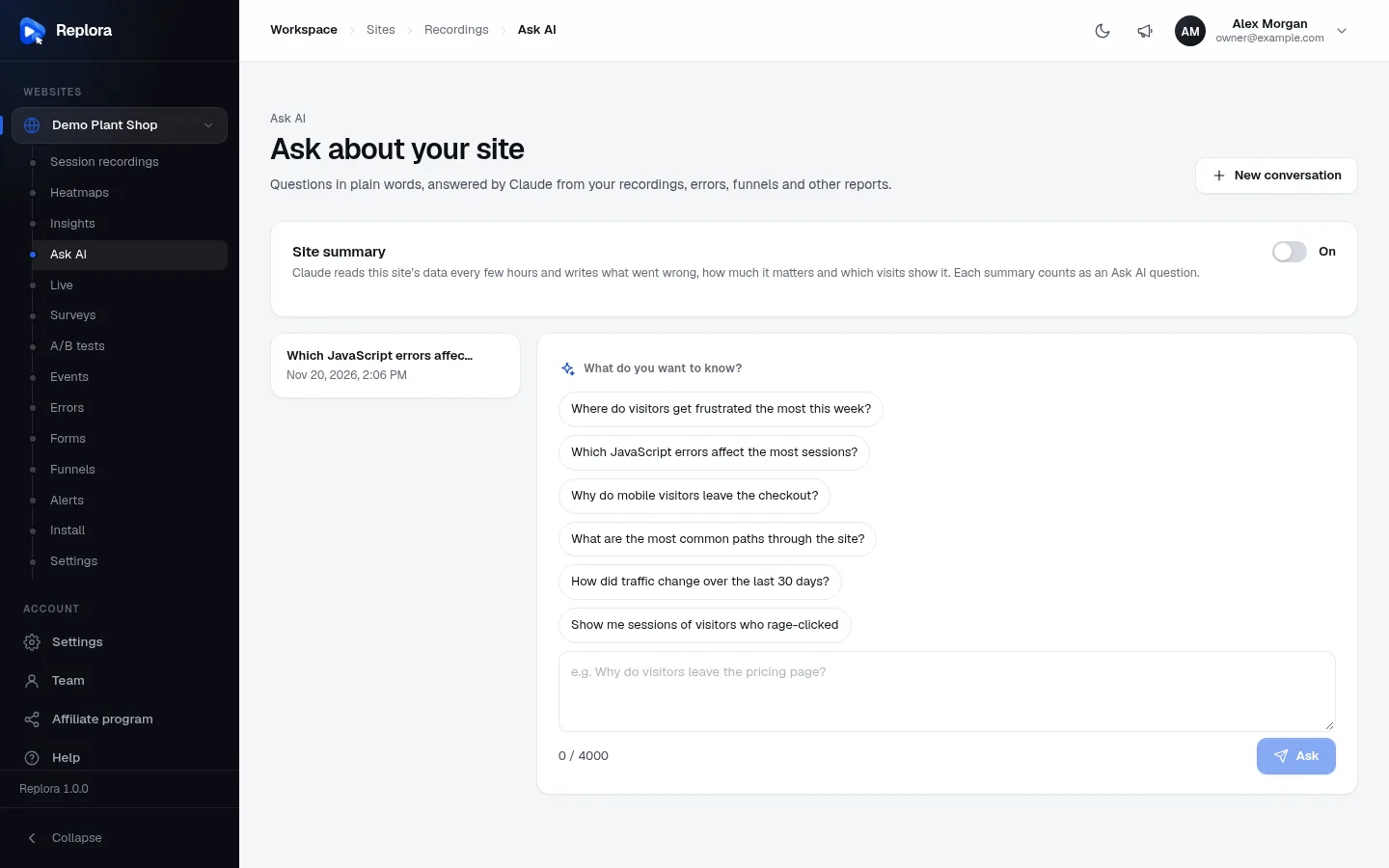
| Ask AI | Website › Ask AI (Ask AI) | Answers questions about the whole website by reading its reports — sessions, stats, errors, funnels, journeys, forms, surveys, A/B tests, live visitors — up to 12 reads per question, with links to the sessions it found. | Yes: each person's own conversations | Plan: Ask AI questions per month; 20 a minute; questions up to 4000 characters |
| Site summary | Ask AI › Site summary switch | Rewrites a diagnosis of the site (what went wrong this week, how much it matters, which visits show it) every 6 hours while on. | Yes | Each one counts as an Ask AI question; only the account's managers switch it on |
| Help chat | The help button on every page (Support & help) | Answers questions about the dashboard from your published help articles and links the ones it used. | No (kept in the browser tab only) | 50 questions a day per person; 10 a minute |
In the Single user edition there are no plan limits: only the rate limits above apply. On SaaS, each plan sets AI summaries per month, AI search (on/off) and Ask AI questions per month (Plans & limits); an account that used its allowance gets a message instead of a new answer.
Ask AI reads data as the person who asked, with their role, their websites and — when asked through the API — the abilities of their token: it can't see more than that person could.
Costs
Every answer is a paid call to the Claude API, billed by Anthropic to the key's account per token. What drives the cost:
- The model: Opus costs most per token, Haiku least.
- The effort: more effort means more thinking tokens.
- The feature: a summary reads one session (up to 600 moments); Ask AI and the site summary read several reports per answer (each read up to 16 000 characters), so they cost the most. The site summary runs on its own every 6 hours per website where it is switched on.
To keep an eye on it:
- Administration › Overview › Usage › AI summaries shows the summaries written in the period and the tokens they used (Overview).
- The Anthropic console shows the exact spend; set a monthly spend limit there.
- On SaaS, keep the monthly AI allowances of your plans in line with their prices.
What data is sent
Only what a feature needs goes to Anthropic, over HTTPS, with your key.
| Feature | Sent to Claude | Never sent |
|---|---|---|
| Summaries and session questions | The website's name; the visit's facts — start time, duration, pages, device, browser, OS, country, language, traffic source, referrer, new or returning, tags; up to 600 moments (page views, clicks, rage and dead clicks, errors, failed requests), each up to 300 characters; for questions, the conversation so far. | The visitor's identity (the name or email set with identify), IP address, the recording itself. |
| AI search | The question and today's date. | Any recorded data. |
| Ask AI, site summary | The question, the conversation, and the answers of the reports Claude chooses to read (session lists with their facts, error messages, funnel numbers…). | Data of other websites or accounts; anything the asking person can't see. |
| Help chat | Your published help articles (up to 60 000 characters) and the conversation. | Recorded data. |
Text the tracking script masked (typed text, masked elements) was never recorded, so it can't be sent either. If your websites put personal data into tags or page addresses, strip it with the website's privacy settings (Security & privacy). Mention Anthropic as a processor in your privacy policy when the AI features are on.
When something fails
| Message | Cause |
|---|---|
| AI summaries aren't set up on this server… | No API key is saved (neither here nor in .env). |
| The help chat is switched off. Browse the articles instead. | Answer questions with AI is off or no key is set. |
| An error from Claude (HTTP 502 in the API) | The key is wrong or has no credit, Anthropic is unreachable, or the answer came back unusable. Try again; check the key in the Anthropic console. |
| You asked a lot of questions today… | The help chat's 50 questions a day per person are used. |
| A plan-limit message | The account's monthly allowance is used up (SaaS). |
Related
- Installation settings
- Help center — the articles the help chat answers from
- Overview & reports — AI usage
- Plans & limits — monthly AI allowances
- Security & privacy